Remote desktop connection (up to LSM 3.5 SP1) - LSM 3.6 SP1 Business + Prof.
- SmartCD.MP and SmartCD.HF cannot be routed through via the CommNode-Agent. Forwarding takes place directly via the remote desktop connection.
- Open the connection settings of the Remote Desktop session.
- Click the button Show Options to show options.
- Change to the tab Local resources.
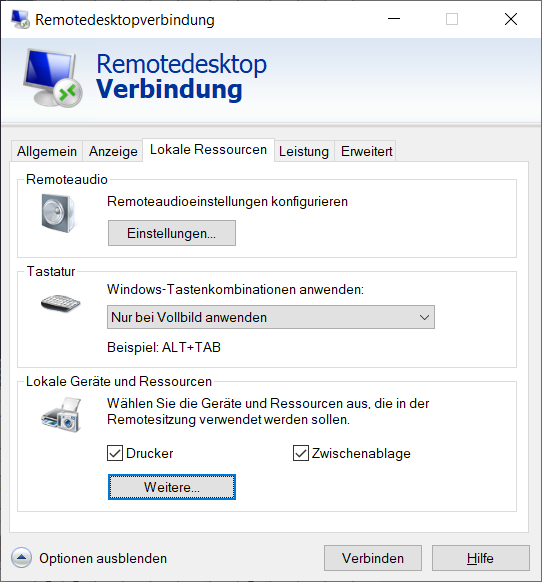
- Click the button More....
- Make sure that the checkbox
 Ports is activated.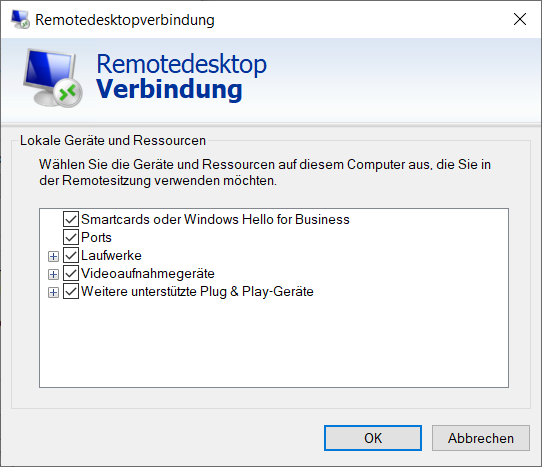
- Click on the OK button.
- Connect to the remote desktop.
- Press the Windows key and R at the same time.
- The Run window will open.
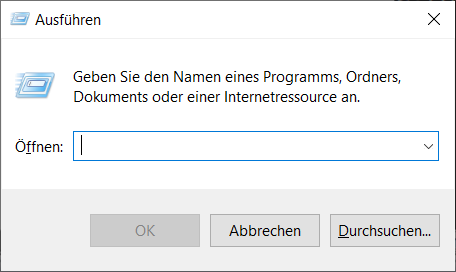
- Enter a CMD in the input field.
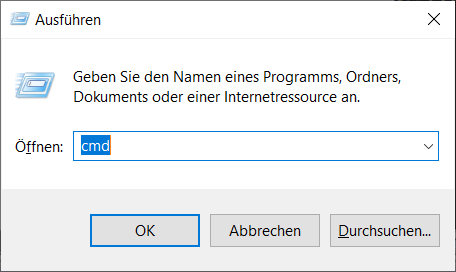
- Click on the OK button.
- The Command prompt window opens.
- Unplug SmartCD.MP/SmartCD.HF from the terminal client.
- Enter change port /q.

- The command displays the output without SmartCD.MP/SmartCD.HF connected.
- Reconnect the SmartCD.MP/SmartCD.HF to the terminal client.
- Enter change port /q.
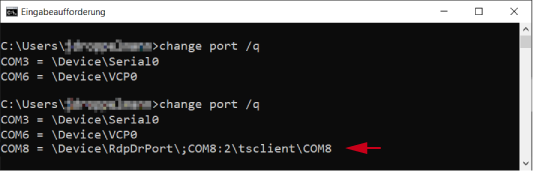
- The second command displays the output with SmartCD.MP/SmartCD.HF connected. A new port has been added.
→ In this case, COM port 8 is the forwarded SmartCD.MP/SmartCD.HF. - Press the Windows key and R at the same time.
- The Run window will open.
- Enter the path to the LSM user directory:
%localappdata%\SimonsVoss\LockSysMgr\config\. - Click on the OK button.
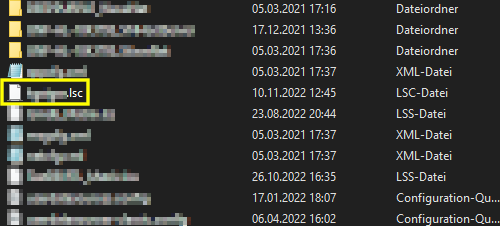
- Explorer displays the directory of LSM users.
NOTE

LSC file for LSM users
The LSM creates a configuration file (.lsc) for each user who has logged in at least once.
- If a configuration file is not yet available for a user, ask the user to log into LSM.
- Double-click to open the configuration file.
- Add the line [Common] to this file:
CardReaderPort=<PORT> - Replace <PORT> with the previously Command prompt determined value.
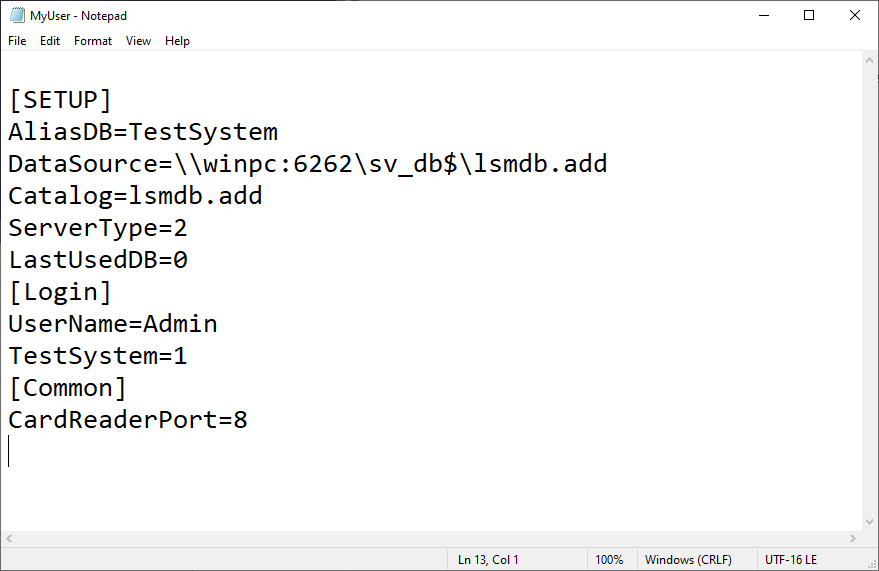
- Save the modified configuration file.
- If necessary, also add the row for all other users in their configuration files.
- If necessary, end the LSM session.
- Restart the remote desktop session.