Change length of PINs in PinCode AX - LSM 3.6 SP1 Business + Prof.
NOTE

Changing the PIN length deletes previous PINs
If you change the length of the PINs, LSM automatically deletes all previously created PINs. These must then be created again.
- Set the PIN length before creating PINs.
- PIN code keypad AX is created (see Create PinCode AX).
- Use to select the input.
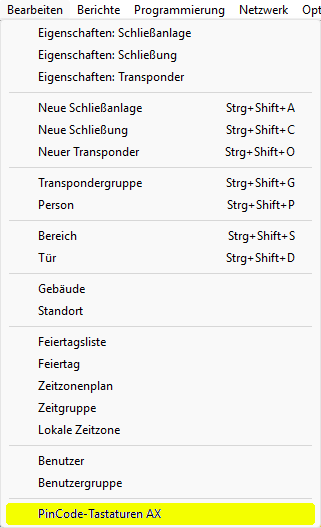
- The window will open.
- Select the PIN code keypad AX whose PIN length you want to change.
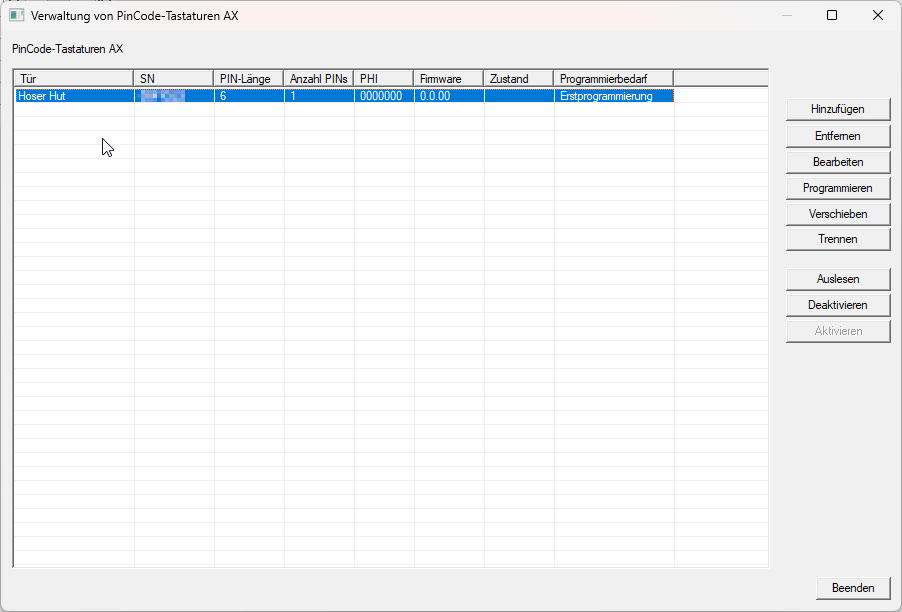
- Click the button.
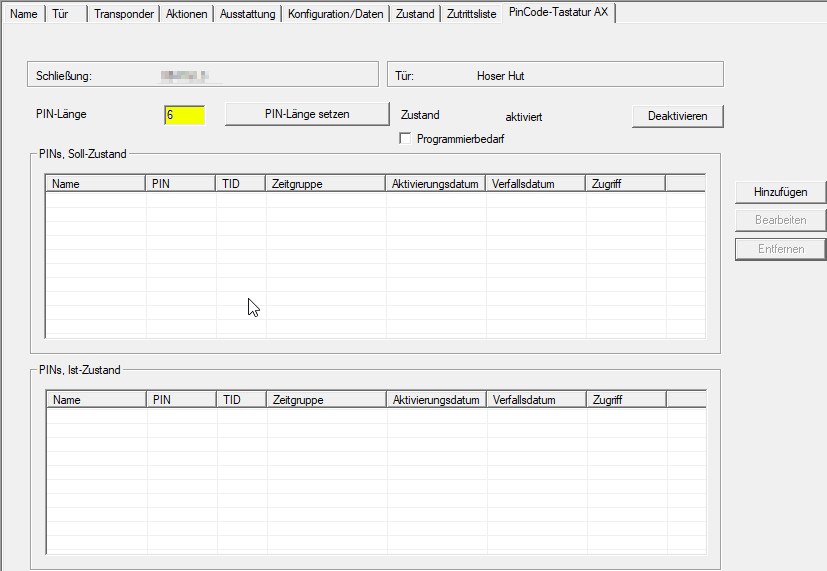
- LSM switches to the locking device properties tab .
NOTE
Alternative: Open the locking device by double-clicking
You can also access the properties of the PIN code keypad AX by opening the properties of the connected locking device and then switching to the tab.
- Enter the desired PIN length (4-10 digits) in the field and click the button .

- LSM indicates that existing PINs may have to be deleted and that new PINs must be created.
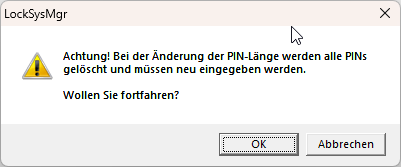
- Click on the OK button.
- PINs can now be created with the changed PIN length (see Creating PINs for PinCode AX).