Deleting Data - LSM 3.6 SP1 Business + Prof.
You can also use the GDPR module to easily erase personal data.
Persons
NOTE

The GDPR functions access HR Management for this purpose. As a result, the functions need to be assigned to a user group which is authorised to access HR Management.
- LSM open.
- Use Options to select the item.
- The GDPR functions window will open.
- Highlight the entry for the person whose data needs to be erased in the People section.
- Click on the Permanently delete personal data button in the People section.
- The LockSysMgr window will open.
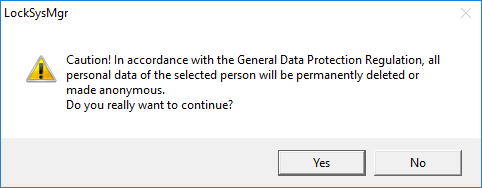
- Click on the Yes button.
- The highlighted person's personal data is erased or anonymised.
NOTE
Erasure of remaining data from previous deletions
You can also use the  button in the Name tab in the assigned identification media to erase personal data. Unlike erasure using the GDPR module, this button does not delete logs, which will remain in the system. This means that only a part of personal data is erased. People who are deleted in this way are no longer displayed in the GDPR module. Please use the Delete button in the Database section to meet GDPR requirements and also remove such files.
Users
NOTE
The GDPR functions access administration functions for this purpose. As a result, they need to be assigned to a user group which is authorised to access Administration.
- LSM open.
- Use Options to select the item.
- The GDPR functions window will open.
- Highlight the entry for the user whose data needs to be erased in the Users section.
- Click on the Permanently delete personal data button in the Users section.
- The LockSysMgr window will open.
- Click on the Yes button.
- The highlighted user's personal data is erased or anonymised.