Pause action - LSM 3.6 SP1 Business + Prof.
Checkbox  Access allows you to specify whether the Control Device AX locking device should be accessed when an action is triggered.
You can prevent the action from being triggered without deleting it. If already installed, Control Device AX the assignment between the action and the function input is retained. So you always know which input is assigned to which action.
- Matrix screen open
- Control Device AX connected to the power supply.
- SmartStick AX connected.
- Double-click on the locking device to open its properties.

- The locking device properties open.
- Change to the tab Control Device AX.
- Select the action you want to pause.
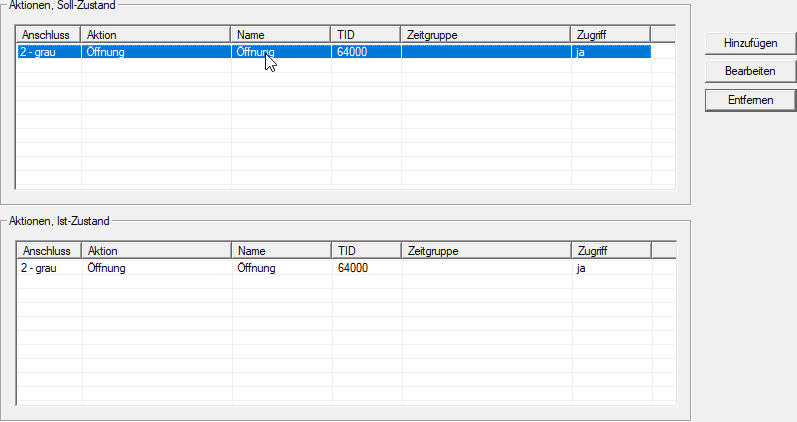
- Click the button Edit.
- The Action window will open.
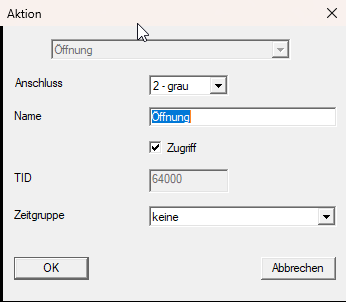
- Disable the checkbox Access.
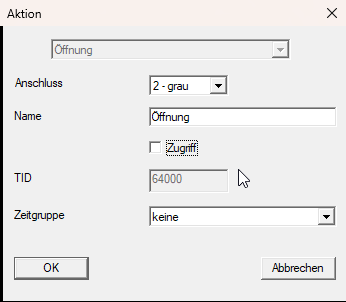
- Click on the OK button.
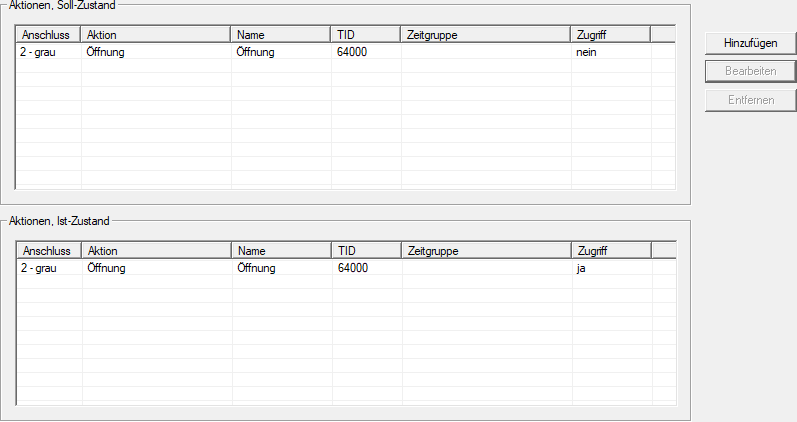
- The action is displayed, but not accessed.
CAUTION

Pairwise actions are automatically paused
The actions Emergency release/End of emergency release / emergency opening and/Deactivation Activation are only available in pairs.
If you pause one of the paired actions (=
Access deactivate checkbox), the other is automatically paused as well.- The change necessitates some additional programming.
- Use to select the input.
- The Management of Control Devices AX window will open.
- Click on the Programming button.
- The window closes and the programming process begins.
- Follow the instructions.
- Action is paused.
To reactivate the action, activate the checkbox  Access again.