Warning monitor - LSM 3.6 SP1 Business + Prof.
Available in LSM Business with enabled online module only.
The warning monitor displays warnings which have been issued and are activated. The warning monitor starts up automatically after log-on and displays all accumulated warnings. If you select status display, you can also view already accepted or accumulated warnings. Double-click on the entry to open the properties of the respective object.
You can launch the warning monitor via Reports/Warning monitor:
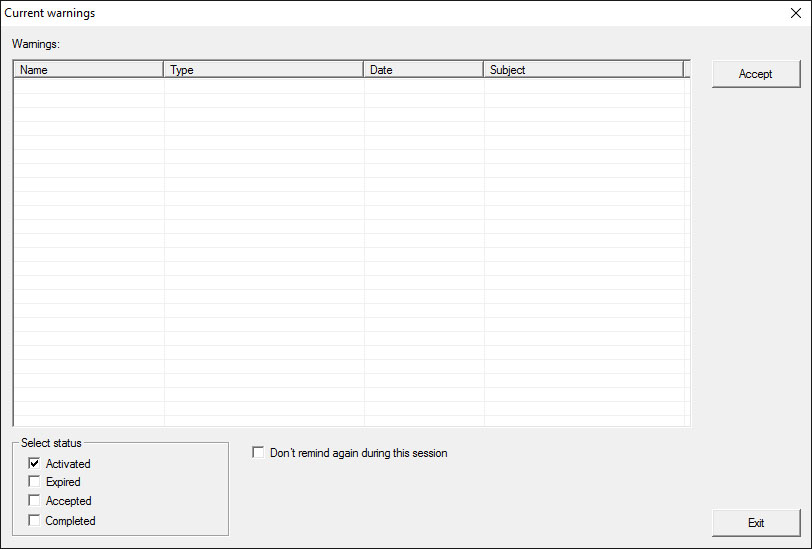
- Table
- Overview of accumulated warnings.
- Accept
- You can accept individual warnings and they are then hidden.
- Enabled
- Only current warnings are shown.
- Expired
- Expired warnings are those warnings for which the pre-set time interval has already expired.
- Accepted
- This displays warnings that have already been accepted.
- Processed
- Processed warnings are those warnings which a follow-up task has dealt with, such as "Blocking of transponders".