Initial login - LSM 3.6 SP1 Business + Prof.
- LSM installed (see Software).
- Server and database structure set up and database path entered in LSM (see LSM Business/Professional).
- Launch LSM.

- The LSM login screen opens.

- Click the button.
- The login window will open.
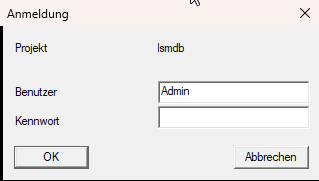
- Enter the default login credentials (user name:
Admin, password:system3060). - Click on the OK button.
- Login window closes.
- When you log on to an unregistered database for the first time, the registration window will (see Register LSM).