Creating a task - LSM 3.6 SP1 Business + Prof.
One frequent task is configuring the times for your locking devices. Due to physical tolerances, the internal clock inside the locking devices deviates from the actual time by up to 15 minutes per year. You should therefore reset the clock regularly, especially for time-critical locking devices.
You can use the task manager to automate this task.
- LSM is open.
- Use Network to select the input.
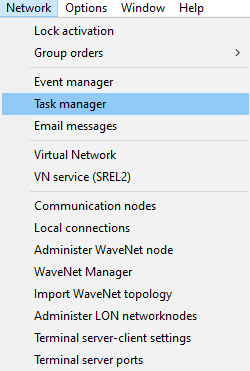
- The Task manager window will open.
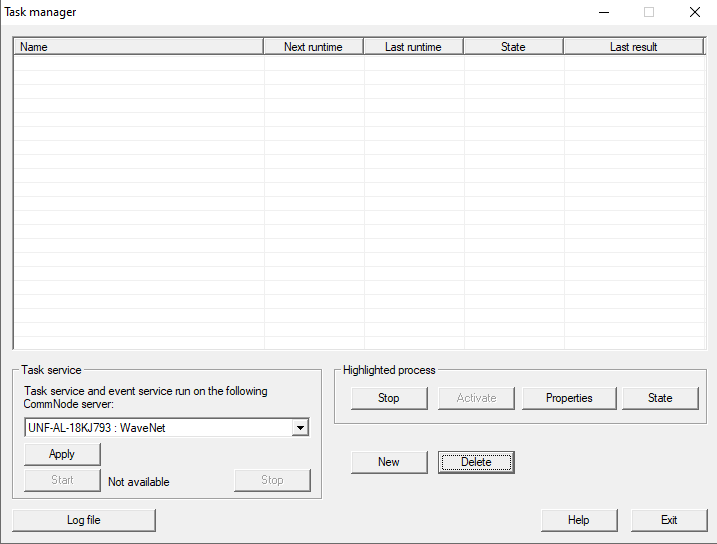
- Click the New button.
- The Task window will open.
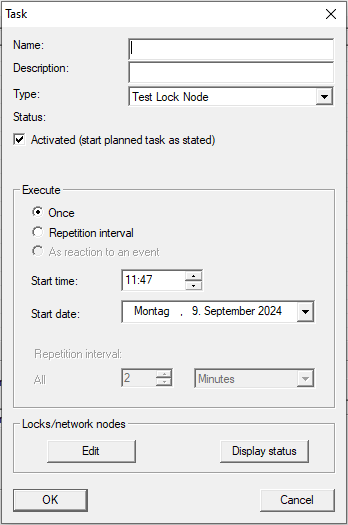
- Enter a name and, optionally, a description for your task.
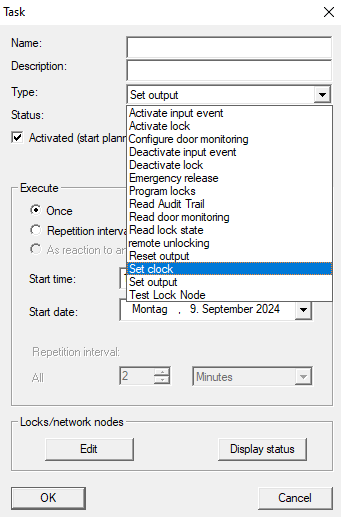
- In the drop-down menu , select the action you wish to perform with this task (example: Set clock).
- Select whether you want to run the task once or on a regular basis (example:
 Repeat interval).
 - Enter a start time and a start date.
- Select the required repetition interval (example: once a month).
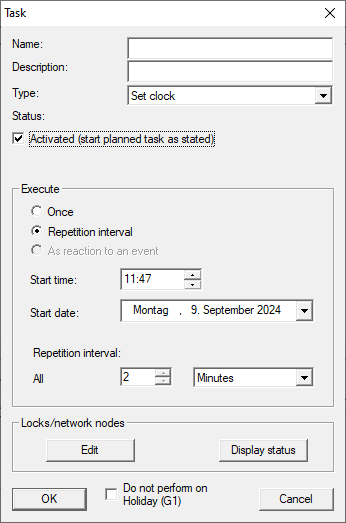
- Click the Edit button in the Locks/network nodes section.
- The Administration window will open and offer locking devices for selection.
- The task is only performed for the locking devices selected here.
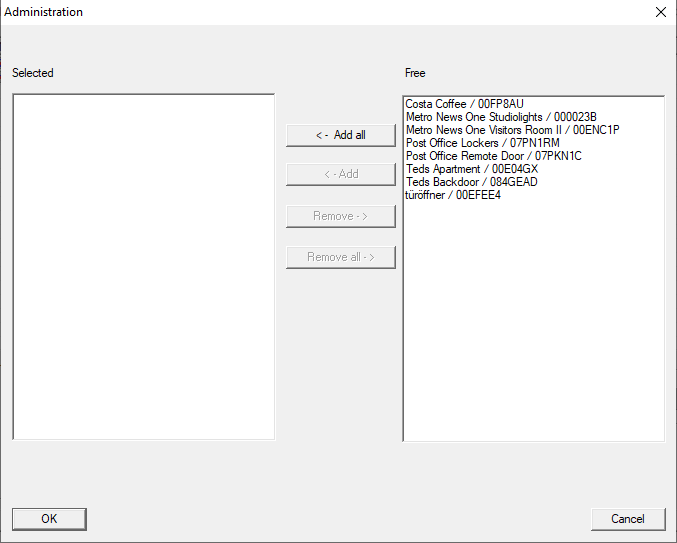
- Use the ← Add buttons to add the locking devices to the task.
- Click on the OK button.
- Administration window closes.
- Your task is now completely configured.
- Click on the OK button.
- Task window closes.
- Your LSM will notify you that the changes (e.g. your newly created task) will only be transferred after the task manager is closed.
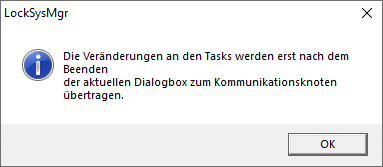
- Click on the OK button.
- Your new task is now listed in the task manager.
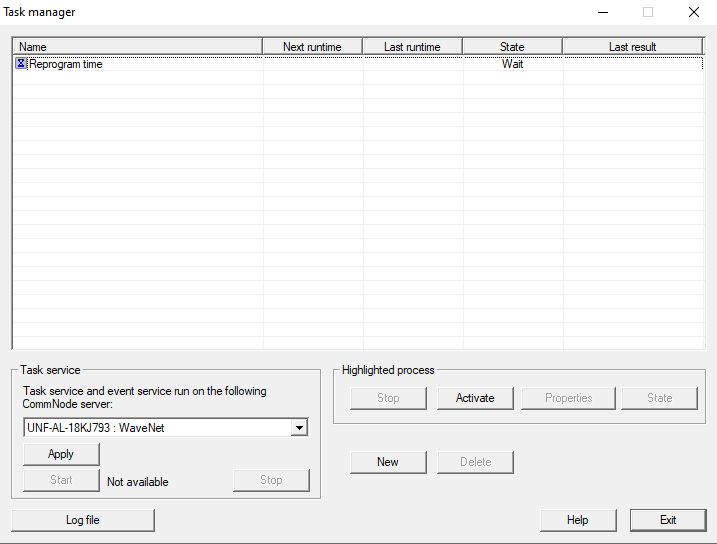
- When you close the task manager, LSM transfers the necessary information to the configured communication node itself (for configuring the communication node for task and event managers, see also Setting up Task services). Your task will then be executed regularly provided the corresponding communication node is running.
- In the example, you no longer need to reprogram the times for the selected locking devices.