Ignore time group for individual authorisations (matrix) - LSM 3.6 SP1 Business + Prof.
- Matrix screen opened in LSM.
- Right-click on the authorisation you wish to exclude from time zone management.
- The authorisation context menu will open.
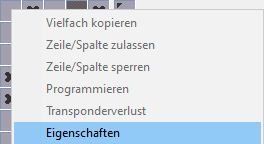
- Select the option.
- The Authorisation properties window will open.
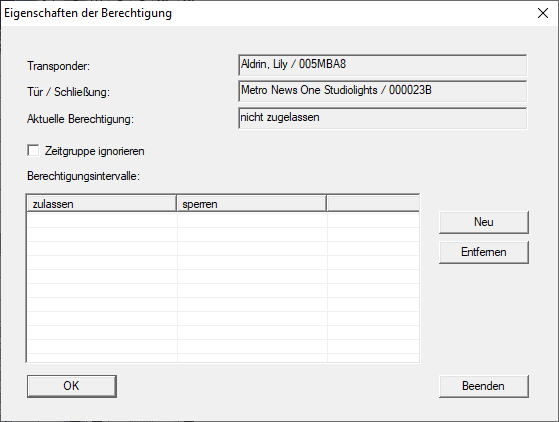
- Activate the
 Ignore time group check box.
 - Click on the OK button.
- Authorisation properties window closes.
- Your LSM displays authorisations with ignored time groups in the matrix once you have refreshed the matrix screen.