Scheduling individual authorisations (matrix) - LSM 3.6 SP1 Business + Prof.
- Matrix screen opened in LSM.
- Right-click on the authorisation you wish to schedule.
- The authorisation context menu will open.
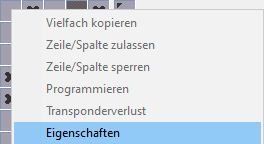
- Select the option.
- The Authorisation properties window will open.
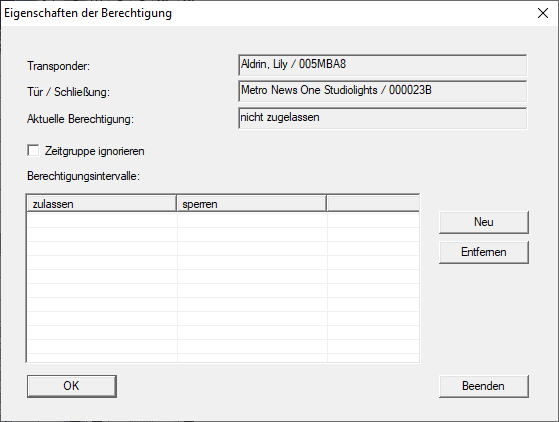
- Click the New button.
- The Authorisation interval window will open.
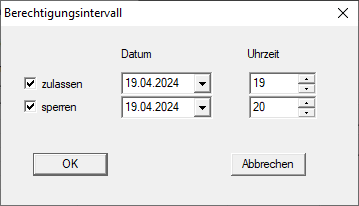
- Configure the authorisation interval as required.
- Click on the OK button.
- Authorisation interval window closes.
- Authorisation interval is listed.
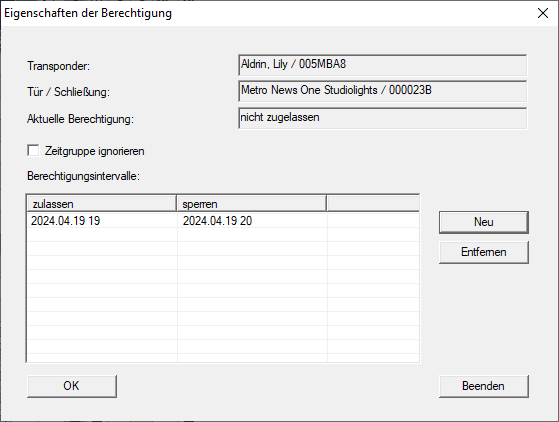
- Click on the OK button.
- Authorisation properties window closes.
- Your LSM displays scheduled authorisations in the matrix. These are activated or blocked at the configured time and programming is required.