Incorporating a DoorMonitoring lock into the network - LSM 3.6 SP1 Business + Prof.
This is how you incorporate a DM lock into the WaveNet network:
- WaveNet-Manager has already been set up.
- RouterNode, to which the new lock shall be assigned to, is already set up and "online".
- LockNode is correctly mounted on the DM lock.
- Chip-ID is known.
- Start WaveNet-Manager (LSM - Network - ).
- Right-click the RouterNode.
- Window Administration opens.
- Markieren Sie die Option
 Find Chip ID.
 - Click on the OK button.
- Window Administration closes.
- Follow the shown dialogue and assign the lock respectively the corresponding LockNode with its Chip-ID to the RouterNode 2.
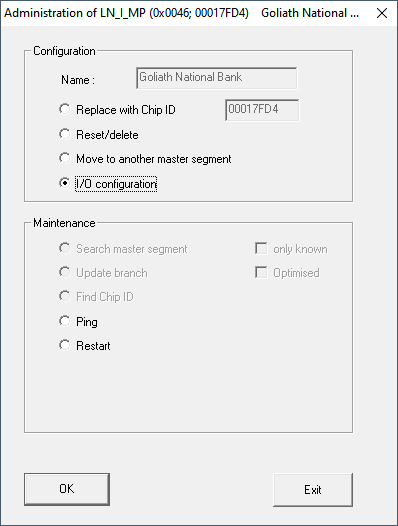
- Right-click the DM-LockNode which you just added.
- Select the OptionI/O configuration.
- Click on the OK button.
- Window Administration opens.
- Mark the check box
 Send all events to I/O router.
 - Click on the OK button.
- Window Administration closes.
- Click on the button SAVE.
- Click on the Exit button.
- Click on the Yes button.
- WaveNet manager closes.
- Import the new settings and assign them to the corresponding communication node.