Check virtual network status - LSM 3.6 SP1 Business + Prof.
Once you have set up your virtual network, you can monitor its status.
- Virtual network configured (see Setting up a locking system and Setting up the gateway and VN host server).
- Use Network to select the input.
- VN host server window shows the current status.
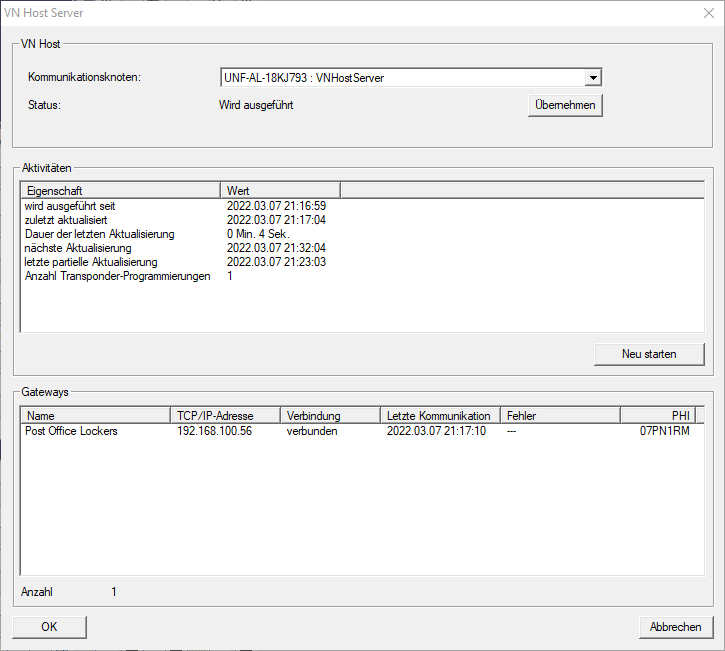
You can see the communication node currently being used (for virtual network in the VNHostsection: VN host server).
In the Activities section, you will see:
- Launch of the VN host server
- Time of the last update
- Time of the next scheduled update
- Number of pending programmings
You will find a list of all SmartRelais 3 Advanced configured as  Gateway and their statuses in the section.