Special TIDs - LSM 3.6 SP1 Business + Prof.
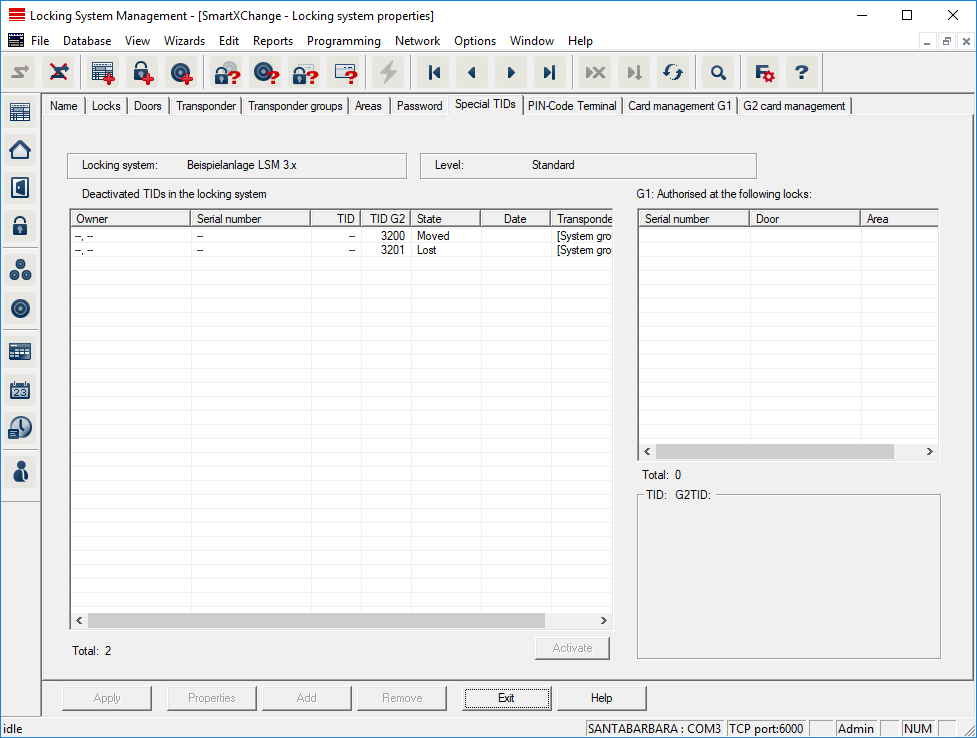
- The large, left-hand table shows an overview of the following transponders:
- Deactivated transponders
- Removed transponders
- Lost transponders
- Returned transponders
- Temporarily deactivated transponders
- The smaller table on right-hand side shows all locking devices which the transponders selected in the left-hand table are authorised to use.
- The display pane under the small, right-hand table displays information and comments on the deactivated transponder.
- You can use the "Activate" button to re-activate a selected transponder (depending on the pre-set status). In this case, a new TID is assigned to the transponder in the G2 protocol, which can generate programming requirements for the authorised locking devices.