Disable and clear registered clients - LSM 3.6 SP1 Business + Prof.
In the registration window, you have the option of making unused licences available again by either releasing or disabling the clients concerned.
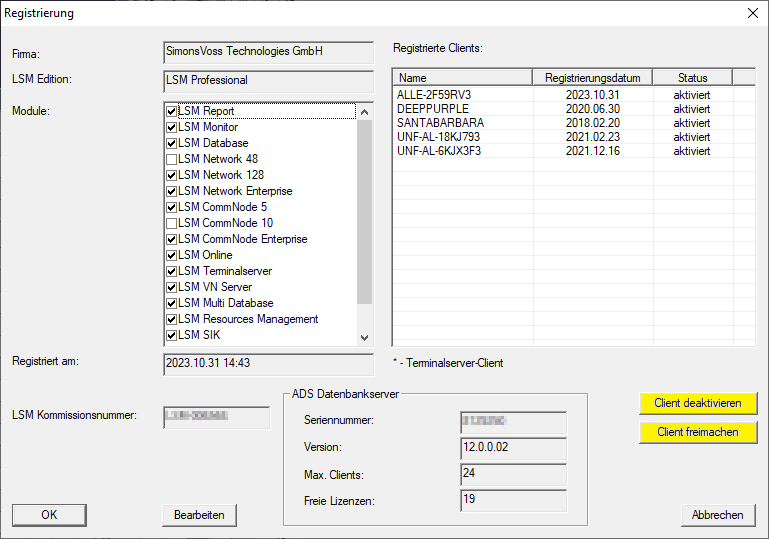
Deactivate client | Release client |
|---|---|
The disabled client can now no longer log on to the database. | The released client can continue to log on to the database until a new client registers with the database. The new client removes its licence from the released client. For example, if two clients have been released and one client registers, then one of the two released clients is randomly selected and its licence revoked. |
Disabled and released clients can re-register (see Register LSM).
Release client
- LSM registered.
- User is logged in to LSM and authorised to edit registrations (administrator role: also see User group).
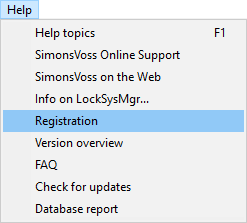
- Use Help to select the input.
- The Registration window will open.
- Select the client to be released in the Registered clients box.
- Click the Release client button.
- The client is released and can still log on to the database until a newly registered client claims the licence.
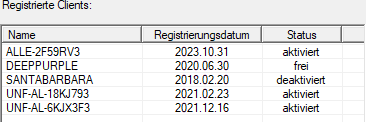
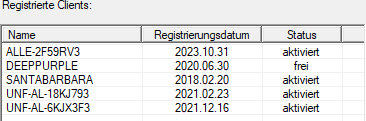
- The client is indicated as available in the Registered clients box.
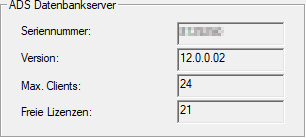
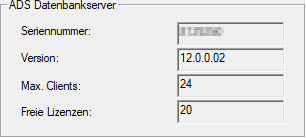
- A Registered clients licence has become available in the ADS database server box.
Deactivate client
- LSM registered.
- User is logged in to LSM and authorised to edit registrations (administrator role: also see User group).
- Use Help to select the input.
- The Registration window will open.
- Select the client to be deactivated in the Registered clients box.
- Click the Deactivate client button.
- The client is disabled immediately and can no longer log on to the database.
- The client is indicated as deactivated in the Registered clients box.
- Another licence has been released in Registered clients in the ADS database server section.