Setting up Task services - LSM 3.6 SP1 Business + Prof.
The task service is responsible for task and event managers:
- Executing your tasks (see Creating a task)
- Detecting your events (see Creating an event)
- Executing your responses to detected events (see Creating a response)
Task and event managers only operate while the service configured here is active.
- Required service (e.g. VNHost/CommNode server) is installed (see VN host/CommNode).
- Communication node has been created (see Creating communication nodes).
- Use Network to select the input.
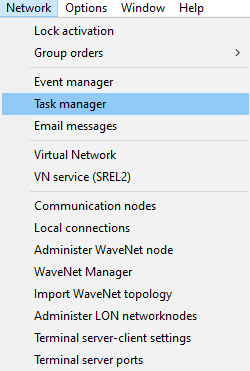
- The Task manager window will open.
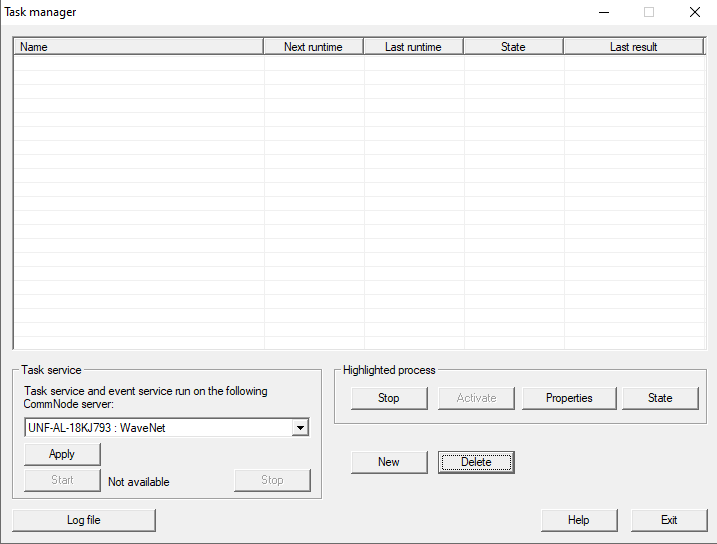
- Select your communication node from the Task service section.
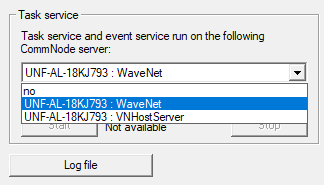
- Click on the Apply button.
- Click on the Exit button.
- Your LSM will notify you that you have changed the communication node responsible for the task/event manager.
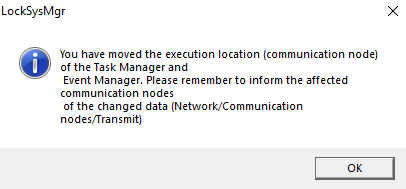
- In this case, LSM cannot automatically transfer the modified config files to the communication nodes/services concerned.
Both the previous communication node and the new communication node are affected. - Use Network to select the input.
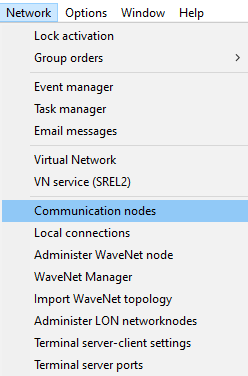
- LSM switches to the communication node screen.
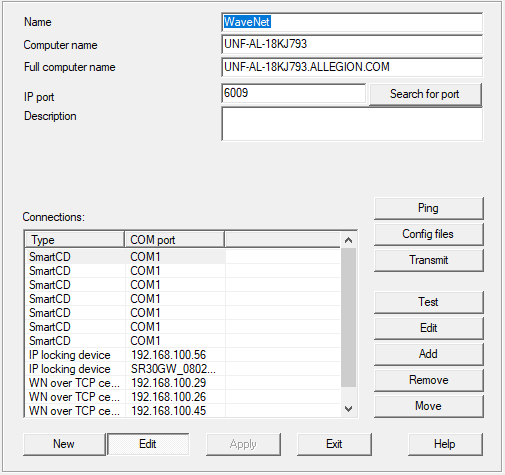
- Use the
 and
and  arrow keys to select the communication node that was previously responsible for the task service.
If no communication node was responsible before, switch to the new communication node. - Open the Windows services with administrator rights (press the Windows button, enter services and open the context menu with the right mouse button).
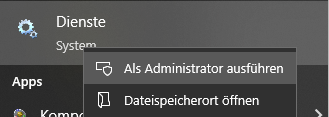
NOTE

Transmission with active services can cause collision
In most cases, you can also transfer the config files without terminating the corresponding services beforehand. However, it may also be the case that the service is working with the config files at the moment when you are modifying them. This can cause malfunctions.
- For this reason, it is important to terminate the service concerned before transferring config files.
- Search for the service for the communication node you have selected in LSM.
CommNode: SimonsVoss CommNode server
VNHost: SimonsVoss VNHost server - Right-click on the service to open the context menu.

- Select the option.
- Service is terminated.
- Click the Config files button in LSM.
- The Explorer window will open.
- Save the config files to any location and copy them to the directory for the service concerned.
CommNode server: %ProgramFiles(x86)%\SimonsVoss\\CommNodeSvr_3_x
VNHost server: %ProgramFiles(x86)%\SimonsVoss\VNHostSvr
If the two services are on the same computer as the client, do not save to a node-specific path. - Open the context menu again and restart the service.

- Service restarts.
- Use the Ping button in LSM to check that the service is already fully operational again.
- Your LSM should display a window similar to the one below. If it doesn’t, wait a few seconds and try again.
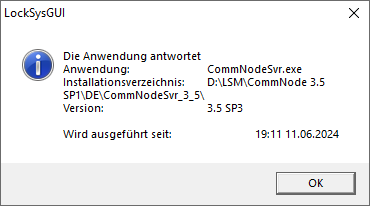
- Click the Transmit button.
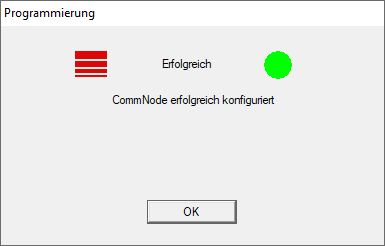
- Your LSM confirms that the communication node has been configured successfully.
- Use the arrow keys and to select the communication node that is now responsible for the task service.
- Proceed in the same way for this communication node.
- Both communication nodes are now configured.
- The task service has been switched to the required communication node.