Using the serial interface - AXM Classic
SmartRelays with a serial interface can transfer data from identification media to third-party systems. The following systems are available:
To transfer data, configure the serial interface so that it is compatible with the required third-party system. You can find details on wiring in the manual for the SmartRelay in question.
- tab open (see Changing the SmartRelay settings).
- Open the menu if necessary.
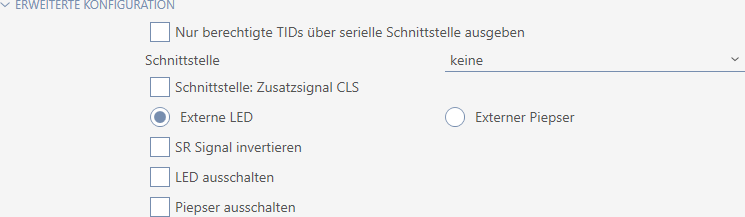
- If you do not wish to transfer unauthorised identification media to the third-party system at all, select the
 Only issue authorised TIDs via serial interface checkbox.
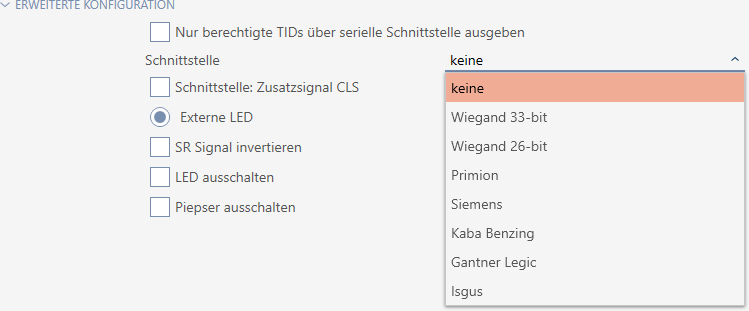
 - Select the third-party system from the drop-down menu: , , , , or .
- If you need a card load signal for your third-party system, select the Interface: Supplementary signal CLS checkbox.
- Click the button.
- The SmartRelay window closes.
- SmartRelay’s serial connection is activated.