Changing locking device type at later stage - AXM Classic
It sometimes becomes evident at a later stage that a different locking device type is more suitable for a particular place of use. It is possible that a cylinder should be replaced with a SmartHandle for convenience reasons, for example.
AXM Classic gives you the option of selecting a different locking device type at a later stage. The locking device remains in the database, including, most importantly, all authorisations and compatible settings.
- Settings that are provided for both the original and the new locking device type remain unchanged.
- Settings from the original locking device type that do not exist for the new locking device type expire.
- Settings that only exist for the new locking device type but not for the original locking device type are set to a default value.
Original locking device type | New locking device type | Result | |
|---|---|---|---|
Setting A (e.g. ) | Adjustable | Adjustable | Is applied |
Setting B (e.g. | Adjustable | Not adjustable | Expires |
Setting C | Not adjustable | Adjustable | Set to default value |
 Invert SR signal
The locking device type can only be changed for non-synchronised locking devices.
- AXM Classic open.
- Locking device list or matrix view open.
- Locking device available.
- Locking device not synchronised (if necessary reset, see Re-setting the locking device).
- Click on the locking device whose type you wish to change.
- The locking device window will open.
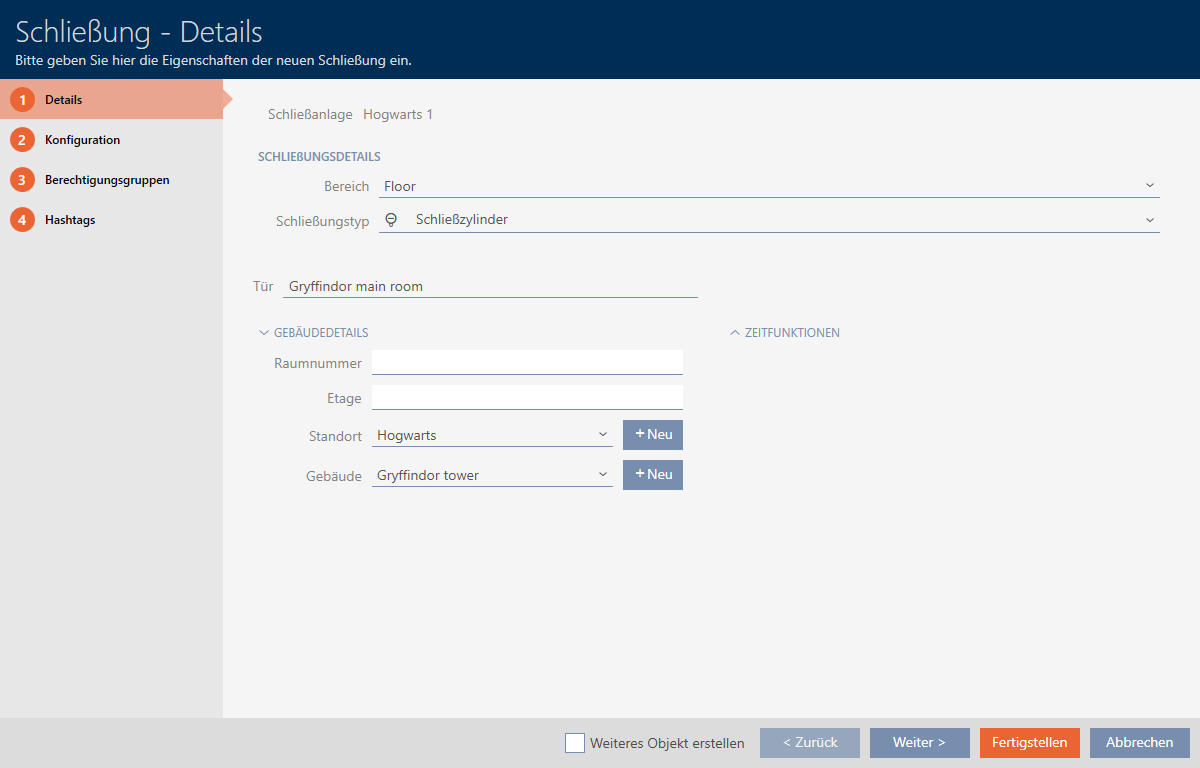
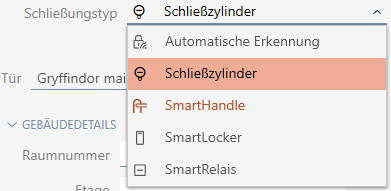
- Select the new locking device type from the drop-down menu.
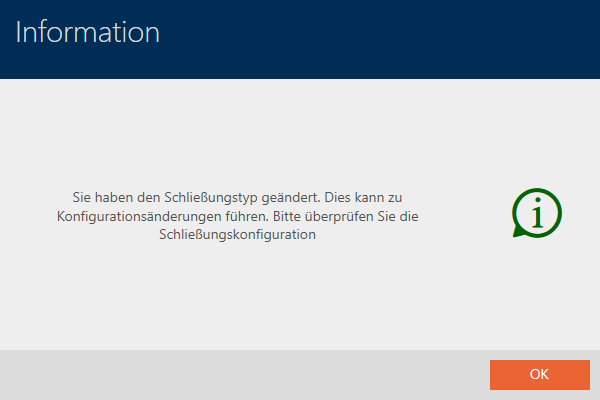
- Warning about the configuration change will open.
- Click on the button.
- Warning about configuration change closes.
- Click on the tab.

- Window switches to the tab.
- Check and change the configuration if necessary.
- Click on the button.
- The locking device window closes.
- Locking device type has been changed.