Authorising a transponder with common locking level - AXM Classic
- AXM Classic open.
- Matrix screen open.
- Common locking level created (see Creating a common locking level).
- Transponder created in common locking level (see Creating transponders for common locking level).
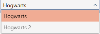
- Use the drop-down menu to switch from the common locking level to the locking system.
- Assign all required authorisations in this locking system.
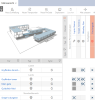
- Use the drop-down menu to switch to the next locking system that you have assigned to the common locking level.
- Assign all desired authorisations there as well.
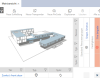
- Synchronise the locking devices and transponders as usual (see Synchronising the locking device (including reading access list) and Synchronising an identification medium).
- Thanks to the common locking level, the same transponder can operate locking devices from different locking systems.