Planning and tracking identification medium management tasks - AXM Classic
The central point for managing your identification medium is the tab . The following entries are displayed here collectively:
- Created
- Programming
- Issued
- Scheduled battery change
- Last battery change
- Planned return
- Handed back
Not all entries are available for all types of identification medium. Since a PIN cannot be withdrawn like a transponder, for example, the entries and are not available for PIN code keypads.
- AXM Classic open.
- Identification media list or matrix open.
- Identification medium available.
- Use
 to sort/filter the displayed entries if required (see Sorting and filtering).
 - Click on the identification medium you wish to manage.
- The identification medium window will open.
- Click on the tab.

- Window switches to the tab.
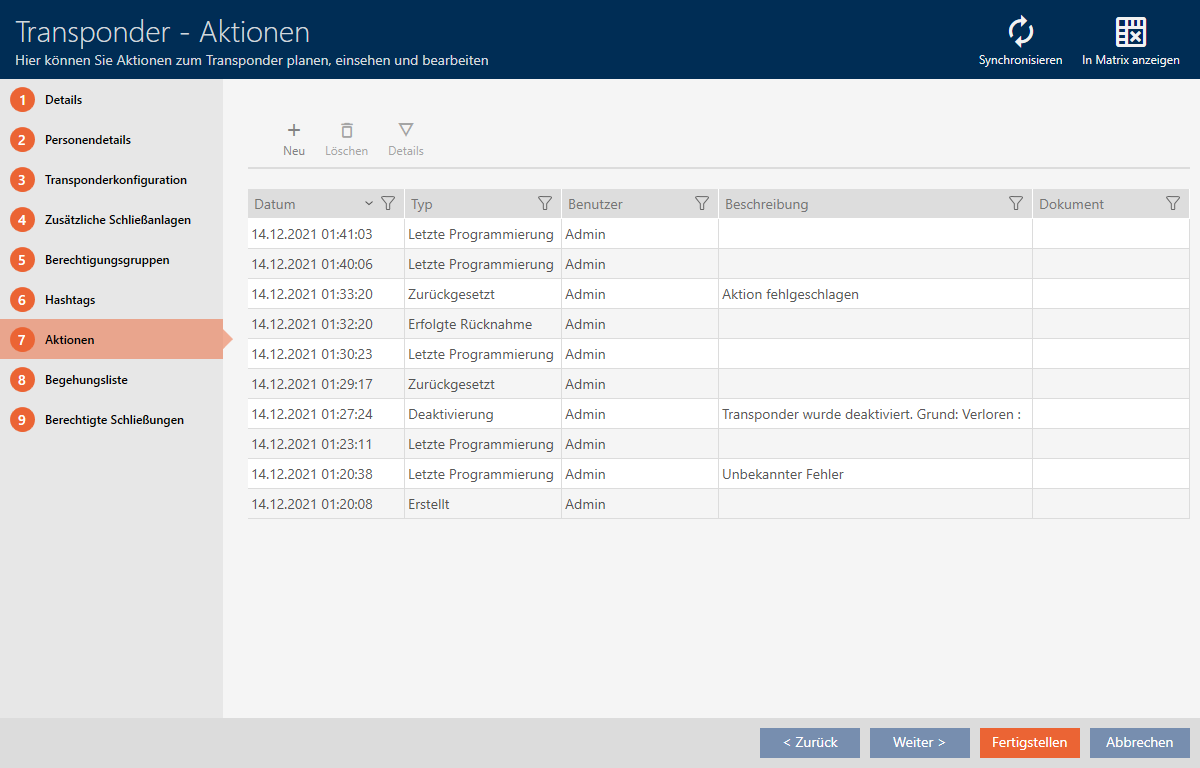
- Use to sort/filter the displayed entries if required (see Sorting and filtering).