Re-set locking device - Step-by-Step WO
This step only resets the locking device. The LockNode remains reachable via WaveNet. Then reset the LockNode (see Resetting the LockNode).
About WaveNet
- SmartIntego-Tool (WO) opened.
- Click on the locking device entry in the navigation area.
- Locking device properties open.
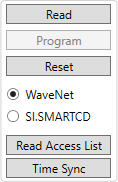
- Select the option
 WaveNet.
 - Click on the Reset button.
- The locking device is reset.
- Locking device reset.
With SI.SmartCD
- SmartIntego-Tool (WO) opened.
- Click on the locking device entry in the navigation area.
- Locking device properties open.
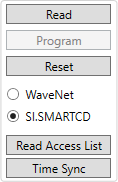
- Select the option SI.SmartCD.
- Click on the Reset button.
- The locking device is reset.
- Locking device reset.