Disable Telnet Access - Step-by-Step WO
In some managed IT environments Telnet must be switched off. Telnet is disabled by default from firmware version 40.10.
You can activate and deactivate Telnet manually:
- Configuration page opened (see Open configuration page).
- Via CONFIGURATION select the entry .
- The configuration interface opens.
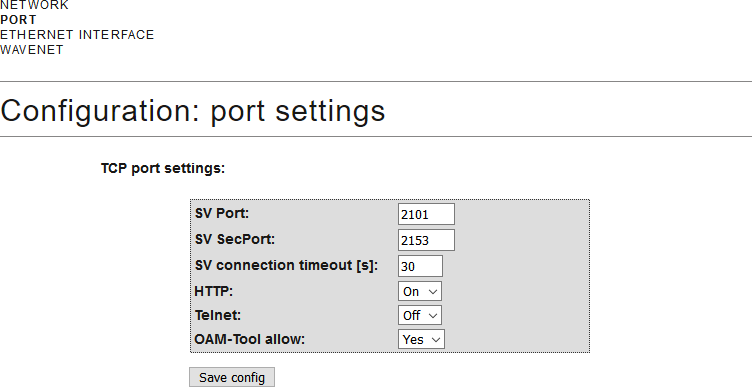
- From the drop-down menu , select the entry Off or On.
- Click on the Save button.