Read access list via WaveNet - Step-by-Step WO
- SmartIntego-Tool (WO) opened.
- Locking device reachable via WaveNet.
- Click on the locking device entry in the navigation area.
- Select the option
 WaveNet in the settings.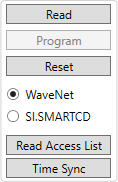
- Click on the Read Access List button.
- Access list for the locking device is read out via WaveNet.
- Export the access list via File, and .
- Access list is exported as CSV file.