Programme hybrid locking devices - Step-by-Step WO
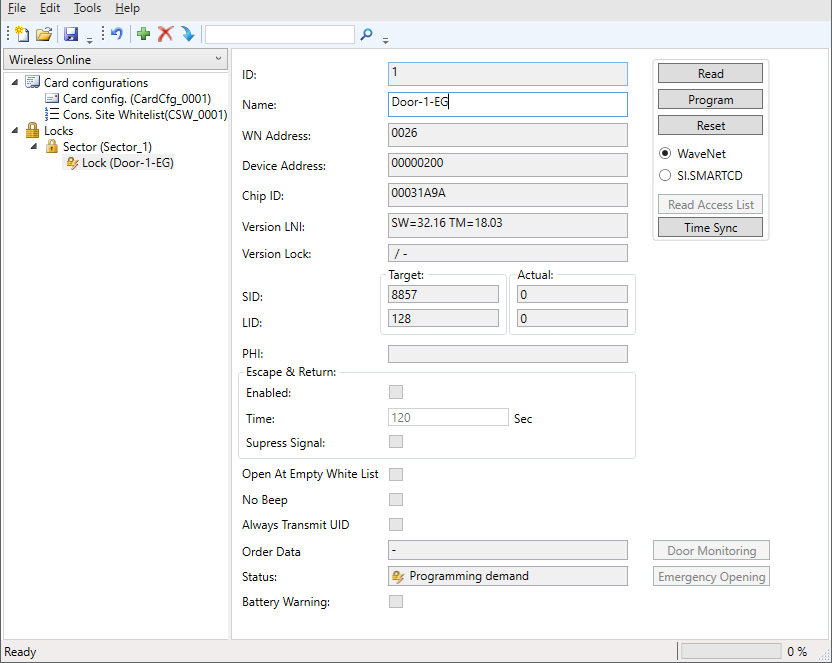
- SmartIntego-Tool (WO) opened.
- When programming the first locking device in the system: SI.SmartCD connected.
- Select the locking device in the navigation area.
- Click on the Program button.
- Programming via WaveNet starts.
- Duration of programming: 45 seconds (locking cylinder) or 80 seconds (SmartHandle).
- Pthe locking device is programmed.
The SI.SmartCD cannot be used for initial programming, but must be connected.