Replace GatewayNode - Step-by-Step WO
- SmartIntego Manager opened.
- New GatewayNode connected.
- TCP/RS-485 configuration completed (see Configuring GatewayNodes (TCP) or RS-485 ConfigNode).
- Click with the right mouse button on the ConfigNode entry.
- The window Administration opens.
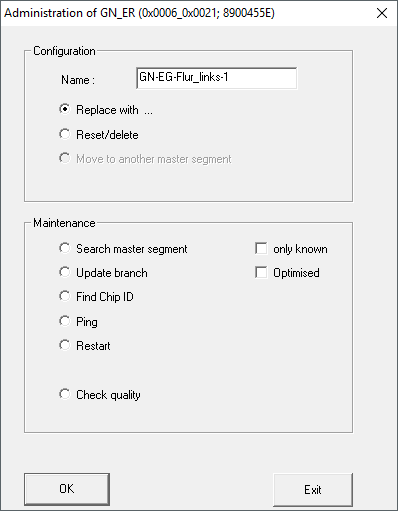
- Select the option
 Replace with.
 - Click on the button OK.
- The window for entering the new IP address or host name opens.
- Specify the new IP address or host name of the GatewayNode.
- Click on the button OK.
- Window for entering the new IP address or host name closes.
- Click on the button Save.
- Click on the Exit button.
- GatewayNode replaced.
If necessary, reset the old GatewayNode via hardware reset (see Resetting components with hardware reset)