Disable OAM tool access - Step-by-Step WO
Access with the OAM tool is not password protected. Disabling OAM Tool access prevents unauthorized users from changing network settings or firmware with the OAM tool.
If you do not enable the , you will not be able to use the OAM tool to perform updates.
- Browser interface opened.
- Open the PORT tab using CONFIGURATION.
- You will see an overview of the TCP port settings for RouterNode 2.
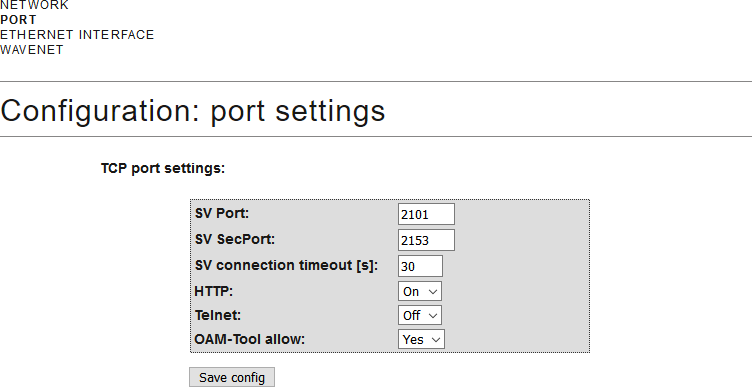
- Select the option Yes (enable the OAM tool to change the IP) or the option No (block change to the IP by the OAM tool) from the drop-down menu.
- Click on the button Save.
- Changing the IP address using the OAM tool is locked/allowed.