Managing locking devices in the SmartIntego tool (WO) - Step-by-Step WO
Managing many locking devices in the SmartIntego tool (WO) becomes easier if you group them into sectors. For example, you can combine all locking devices of a floor in a building into one sector.
Create sector
- SmartIntego-Tool (WO) opened.
- In the navigation tree, mark the entry for the locking devices.
- Click the green Plus icon
 .
. - Sector is created.
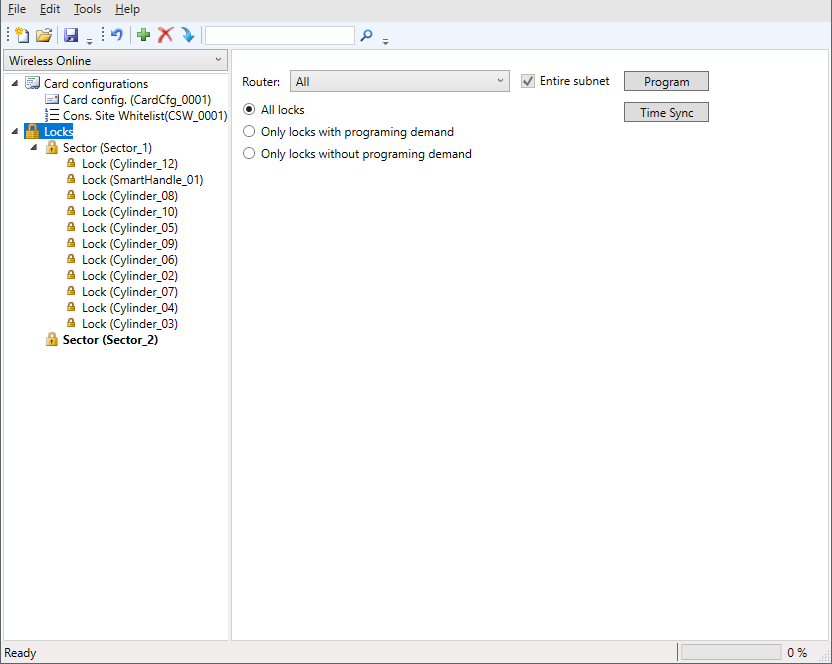
- Select the entry of the newly created sector.
- Give the sector a name in the settings.
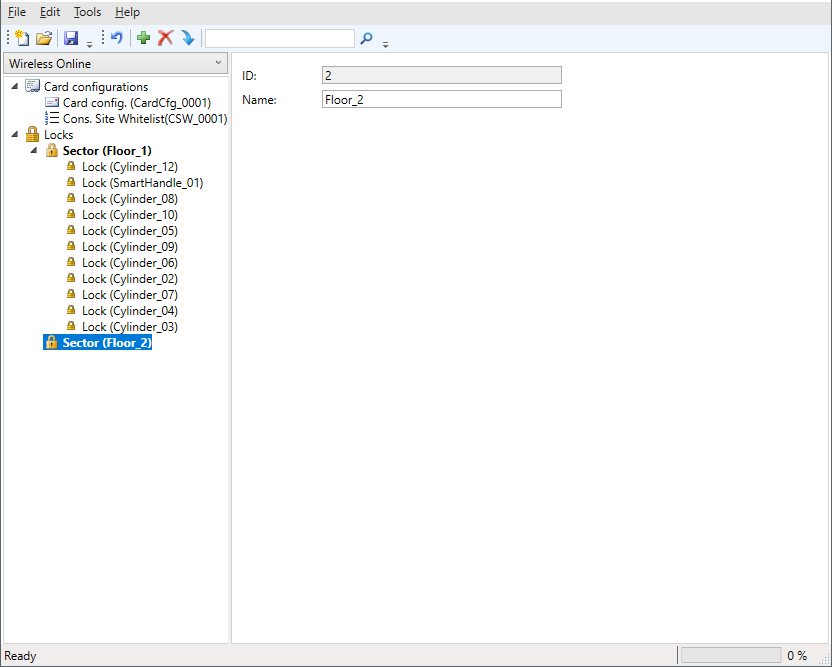
- Drag and drop locking devices to the sector entry in the navigation tree.
- Programming window opens.
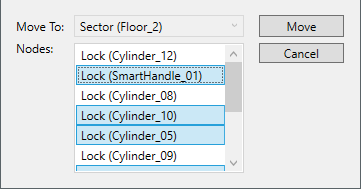
- Click on the button Move
- The prompt closes.
- Locking devices are moved to the sector.
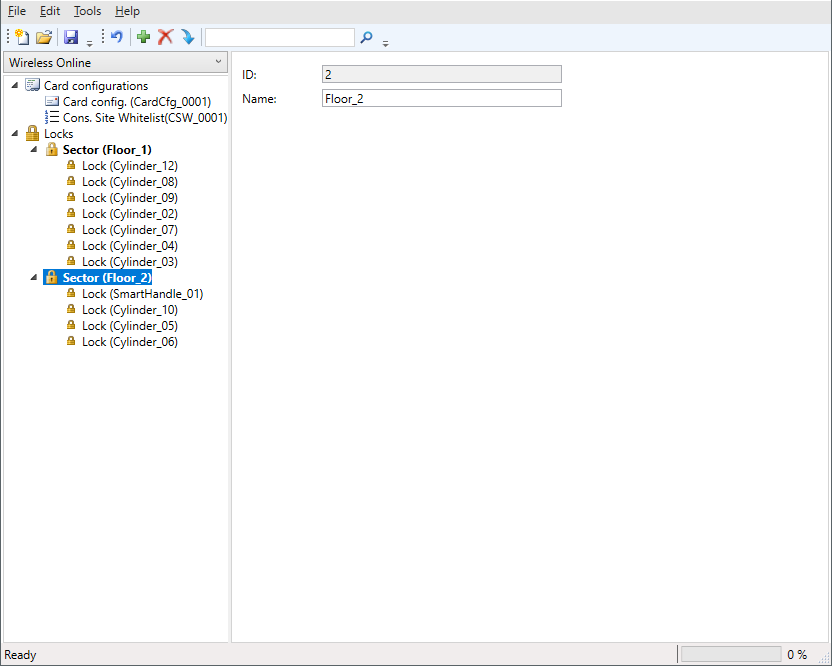
- If necessary, drag further locking devices to the entry of the sector.
- Click on the save button.