Rename multiple GatewayNodes - Step-by-Step WO
You can also rename multiple GatewayNodes at the same time. To do this, import the name list (see also Creating, expanding and importing a name list).
- SmartIntego Manager opened.
- Right-click on the navigation root (WaveNet_XX_X).
- The window Administration opens.
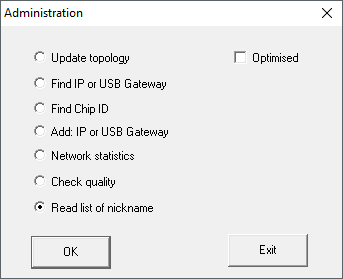
- Select the option
 Read list of nicknames.
 - Click on the button OK.
- The window for selecting the list opens.
- Select the list.
- Import the list.
- The window for selecting the list closes.
- All chip IDs in SmartIntego Manager are checked and updated with the assigned name from the name list.
- Click on the button Save.
- GatewayNodes renamed.