About IEEE802.1X - Step-by-Step WO
Some managed IT environments require external components to authenticate on the network, typically using IEEE802.1X.
You access the IEEE802.1X settings of the GatewayNode as follows:
- Configuration page opened (see Open configuration page).
- Information on settings known (ask the system's IT administrator).
- Via CONFIGURATION select the entry .
- The configuration interface opens.
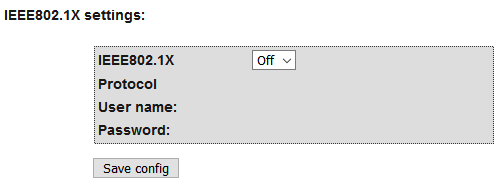
- Make the settings in the IEEE802.1X settings section.
- Click on the Save button.