SmartHandle: Configure DoorMonitoring - Step-by-Step WO
- You have successfully set up the infrastructure for locking with SmartIntego Manager.
- You have imported the data into the SmartIntego tool.
- Locking devices were automatically created by the import.
The SmartIntego tool (WO) does not yet recognise the locking device as a DoorMonitoring locking device. Perform the detection using one of these methods:
- Read out the locking device (button Read).
- Programme the locking device (button Program).
The DoorMonitoring settings are then active.
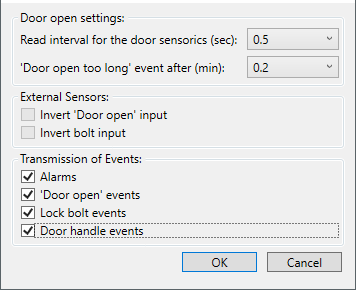
- Open the DoorMonitoring settings.
- Set DoorMonitoring according to the integrator's specifications.
- Click on the button OK.
- Click on the Program button.
- DoorMonitoring is configured.