Disable HTTP access (unencrypted) - Step-by-Step WO
The GatewayNodes configuration page can be displayed both unencrypted (http) and encrypted (https) at the factory.
Some managed IT environments only allow encrypted connections to components.
You can therefore activate and deactivate the unencrypted connection manually:
- Configuration page opened (see Open configuration page).
- Via CONFIGURATION select the entry.
- The configuration interface opens.
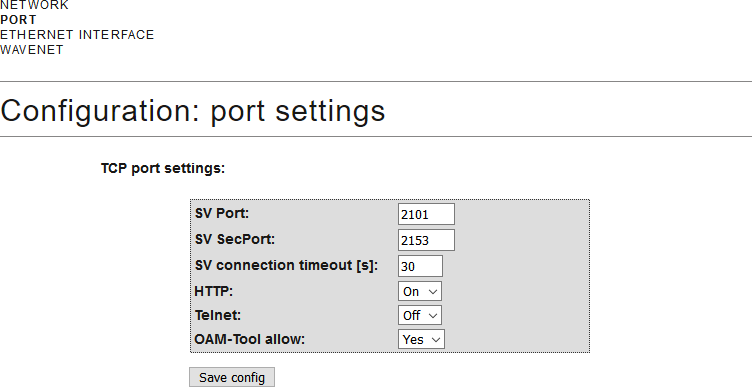
- From the drop-down menu , select the entry Off or On.
- Click on the Save button.