IO Status and LockNode responsiveness - WaveNet
You can check the following:
- Signal at the respective input
- Results of the last broadcast for each device
- Status of the outputs
- Analogue voltage present
You can also switch the outputs manually.
NOTE

Manual switching disabled
You can switch the output depending on identification media or completed reactions (see I/O configuration and protection functions). Outputs controlled by the IO configuration cannot be switched manually.
- WaveNet Manager opened via LSM (see Best Practice: From the LSM software)
- RouterNode supplied with power.
- RouterNode connected to WaveNet (see Add RouterNode to WaveNet).
- Click with the right mouse button on the entry of the RouterNode whose IO status you want to read out.
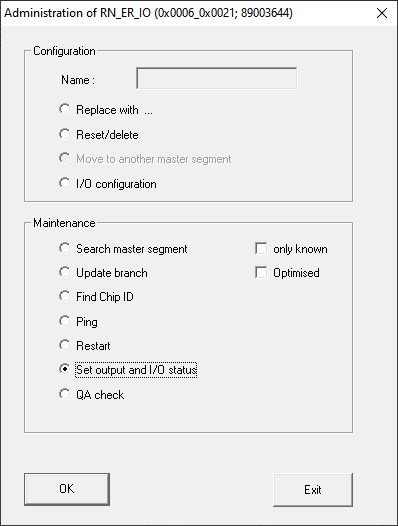
- The window Administration opens.
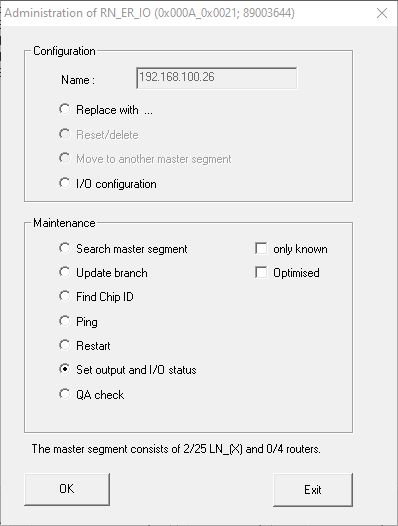
- In the area Maintenance select the option
 Set output and I/O status.
 - The Administration window closes.
- The window I/O status opens.
Status of the inputs
In the area Status of inputs you can see the status of the inputs (valid for RN and RN2):
Status of the inputs | Meaning |
|---|---|
Off | There is no signal at the input. The applied voltage is lower than the reference voltage. |
On | A signal is present at the input. The applied voltage is higher than the reference voltage. |
Comparison voltages (RN and RN2) | |
|---|---|
<0,9 VDC | LOW (no signal) |
>2.1 VDC | HIGH (signal) |
Status/responsiveness of the LockNodes
In the areaStatus of inputs you can also see the behaviour of the LockNodes during the last broadcast:
Error | No reply | Successful |
|---|---|---|
Processing of the command in the LockNode of the locking device faulty. | There are two possibilities here:
| The LockNode locking device has received the command and the RouterNode has received the response. |
Status of the outputs
In the area Status and settings of outputs you can see the status of the outputs and can switch outputs manually.
Status of the inputs | Meaning |
|---|---|
| Output is switched. |
| Output is not switched. |
- Activate the checkbox
 Output of the output that you want to switch or deactivate the checkbox
  Output that you no longer want to switch.
 - Click on the button Set.
- The I/O status window closes.
- The window WaveNetManageropens.
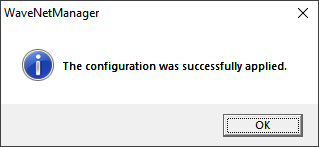
- Output is switched.