I/O configuration and protection functions - WaveNet
You can use the protective functions to deactivate, activate or open locking devices remotely via radio (868 MHz). To do this, you define the IO configuration in the WaveNet Manager:
- When an event is triggered (by an identification medium or an input, see Input (relay contact)) and
- how to react to this event (triggering of a protection function)
Protective functions are basically independent of LSM or its services. If you use protective functions, you can increase the level of security with your WaveNet – in conjunction with the security measures that are required in public buildings anyway.
WARNING

Personal injury or damage to property due to non-redundant safety concept
The protective functions of your WaveNet system are only one element of an entire safety concept. They are not suitable as the only protection against hazards such as fire, burglary or similar.
- Make use of redundant systems to protect against your individual risks (burglar alarms, fire alarms and the like).
- Have a technical risk manager (Certified Security Manager or the like) create and evaluate a security concept.
- Please pay particular attention to relevant regulations on escape and rescue routes.
NOTE

Proprietary WaveNet without legal requirements
WaveNet is a SimonsVoss in-house development, designed to further enhance the security of your building with the protective functions offered in addition to existing security concepts. There are currently no known legal requirements for these protective functions.
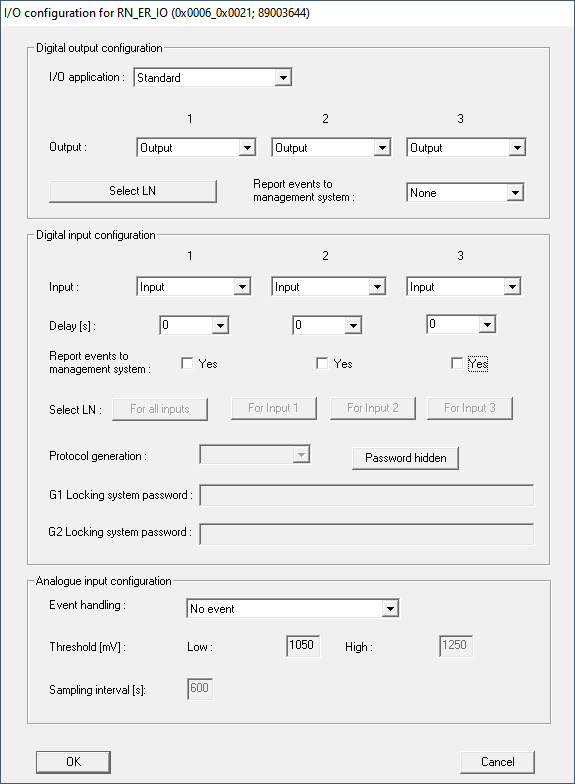
You can set the inputs and outputs of your RouterNodes to suit your needs:
Outputs | Inputs (digital) | Input (analogue) |
|---|---|---|
Respond to identification media or acknowledge completed reactions that were triggered by the digital inputs. Switch the outputs depending on detected identification media (see RouterNode: Digital output). | Respond to changes in the status of the digital inputs. Trigger a reaction at the connected locks (see RouterNode: Digital input). | Respond to status changes at the analog input. Trigger an event in the LSM (see RouterNode: Analogue input). |
The  Set output and I/O status option shows you the current status and the result of the last responses (see IO Status and LockNode responsiveness).
Single RouterNode
- Right-click on the entry of the router node whose I/O configuration you want to change.
- The window Administration opens.
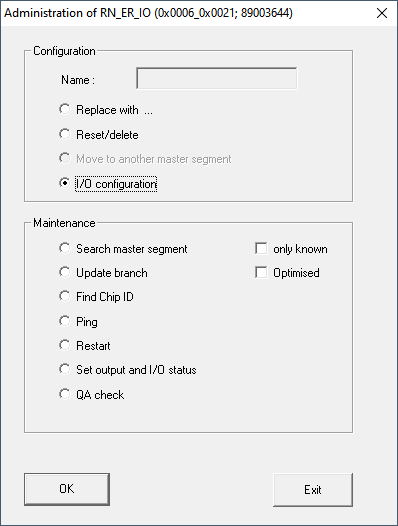
- In the area Configuration select the option I/O configuration.
- Click on the OK button.
- The Administration window closes.
- The window I/O configuration opens.
Multiple RouterNodes
- Right click the entry WaveNet_XX_X.
- The window Administration opens.
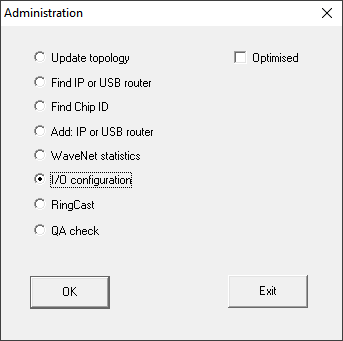
- Select I/O configuration.
- Click on the OK button.
- The Administration window closes.
- The window Select CN/RN opens.
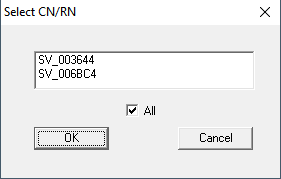
- Either select all desired RouterNodes or activate the checkbox
 all.
all. - Click on the OK button.
- The Select CN/RN window closes.
- The window I/O configuration opens.
Single LockNode
- Click with the right mouse button on the entry of the LockNode whose I/O configuration you want to change.
- The window Administration opens.
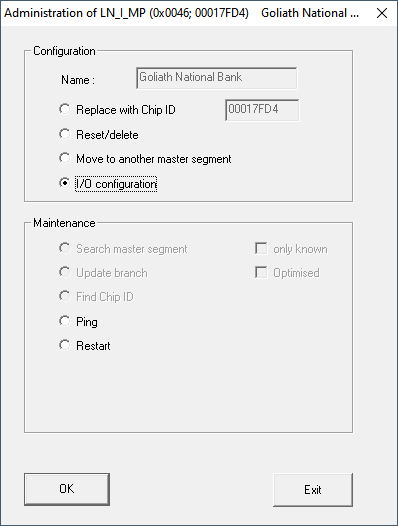
- Select I/O configuration.
- Click on the OK button.
- The Administration window closes.
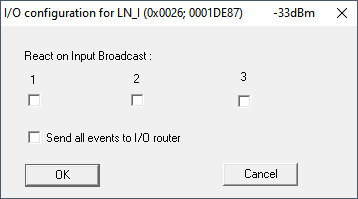
- The window I/O configuration opens.