Test reachability (LSM) - WaveNet
You can use LSM to test whether the network node of a WaveNet locking device is functioning properly and can be reached by LSM.
- LSM is open.
- WaveNet is created.
- WaveNet topology imported (see LSM import).You will see a list of WaveNet-relevant components.
- Open the assignment via Network - - .
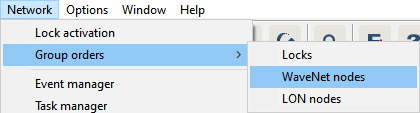
- The window Group order for WaveNet nodes opens.
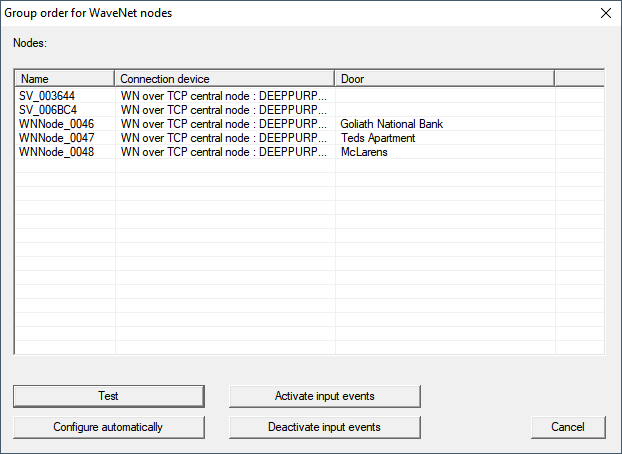
- Select the LockNodes you want to test.
- Click on the button Test.
- The Group order for WaveNet nodes window closes.
- LSM tests the accessibility of the LockNodes.
- LSM displays test results.
If a LockNode cannot be reached, the problem may be either the LockNode or the RouterNode.
Single LockNode of a segment not reachable | LockNode probably has problems. |
No LockNode of a segment reachable | RouterNode probably has problems. |