Assigning LockNodes to the locking devices - WaveNet
- LSM is open.
- Locks to be networked have already been initially programmed (with local programming device).
- WaveNet created (see Add RouterNode to WaveNet and Adding Lock Nodes to WaveNet).
- WaveNet topology imported (see LSM import).You will see a list of WaveNet-relevant components.
- Open the assignment via Network - - .
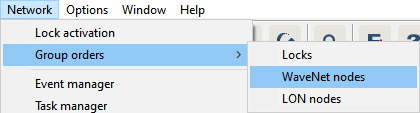
- The window Group order for WaveNet nodes opens.
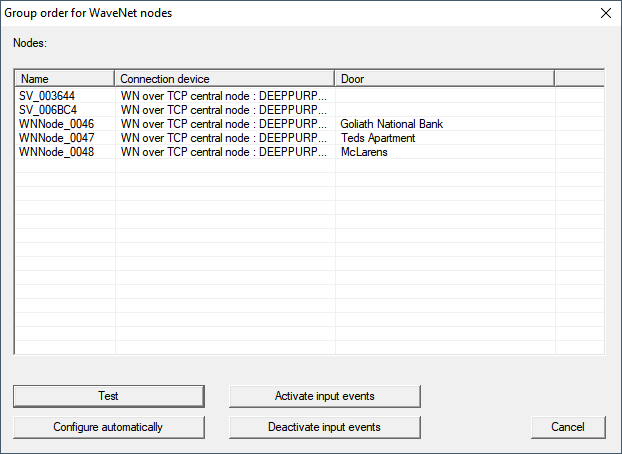
- Select the LockNodes you want to assign.
- Click on the button Configure automatically.
- The Group order for WaveNet nodes window closes.
- LSM assigns LockNodes.
- LockNodes are assigned to locks.
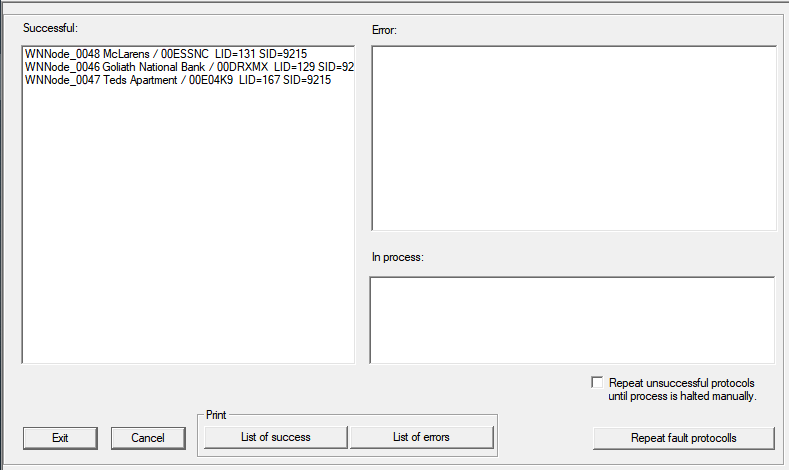
You can address your locks with LockNodes via your WaveNet after they have been successfully assigned.