Deleting RingCast - WaveNet
- WaveNet Manager opened via LSM (see Best Practice: From the LSM software)
- RouterNodes and LockNodes connected to power supply.
- In the overview, right-click on the top entry of the RingCast you want to delete.
- The window Edit radio domains opens.
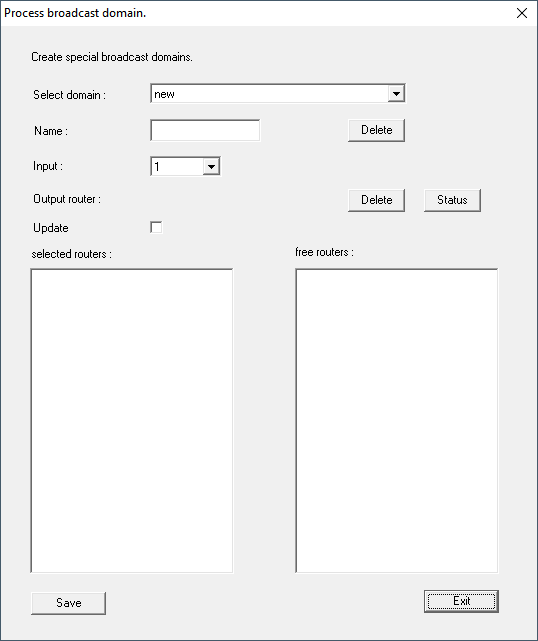
- In the drop-down menu select the domain (input) whose RingCast you want to delete.
- Click the Delete button Delete below the drop-down menus .
- RingCast of the domain is flagged for deletion.
- Click on the button Save.
- Click on the Exit button.
- RingCast of the domain is deleted and is no longer displayed in the overview.
Repeat the steps until you have deleted all desired RingCasts. You can then reconfigure the IO configuration of the RouterNodes at the corresponding inputs (see RouterNode: Digital input).