Reading out firmware - WaveNet
You can read out the firmware versions of your devices (for information on firmware versions see Firmware information).
RouterNodes
You can either see the firmware of the RouterNodes in the overview of the OAM tool (for RN2, older ones only listed as "Digi Device") and update it (see Updating firmware) or read it out with LSM (for RN and RN2).
- LSM is open.
- RouterNodes connected to LSM (for testing, see Test reachability (LSM))
- Via Network open the entry .
- You see a list of WaveNet-relevant components.
- If necessary, activate the checkbox
 Display all WaveNet nodes.
 - You will see a list of WaveNet-relevant components.
- Select the RouterNode whose firmware you want to read out.
- Click the button Properties.
- The window WaveNet network node properties opens.
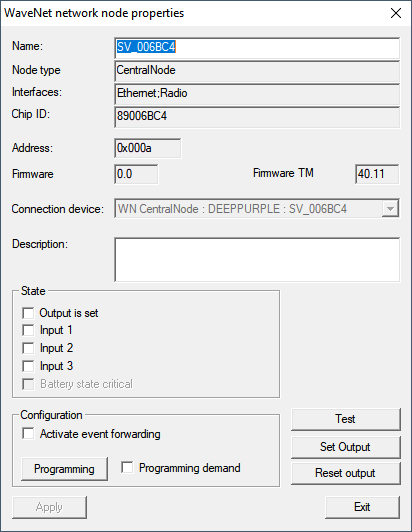
- You see the firmware version in the line
Firmware TM.
LockNodes
- LSM is open.
- LockNodes connected to LSM (for testing, see Test reachability (LSM)).
- Via Network open the entry .
- You see a list of WaveNet-relevant components.
- If necessary, activate the checkbox Display all WaveNet nodes.
- You will see a list of WaveNet-relevant components.
- Select the LockNode whose firmware you want to read out.
- Click on the button Properties.
- The window WaveNet network node properties opens.
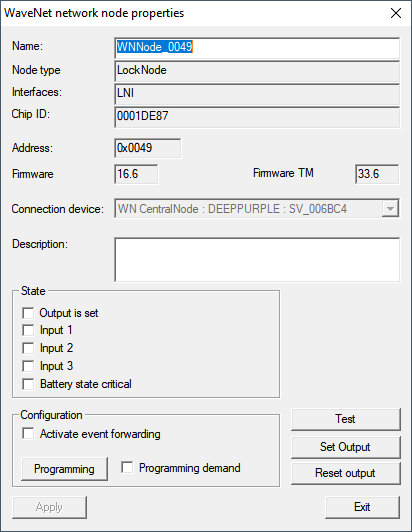
- You see the firmware version in the line
Firmware TM.