Best Practice: From the LSM software - WaveNet
- LSM is started with administrator rights.
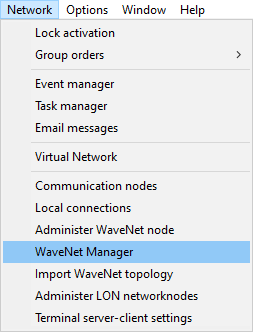
- Open the WaveNet Manager via Network - .
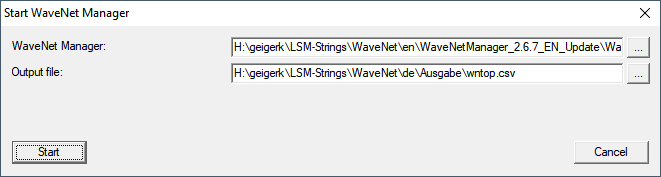
- Check the file paths.
NOTE

Error during saving due to missing write permissions
The WaveNet Manager cannot write to protected storage locations (such as C:\Program Files). The output is then redirected to the Virtual Store (see Checking and fixing the Virtual Store).
- Select a storage location for the output for which all users have write permission.
- Click the button Start.
- WaveNet Manager opens.