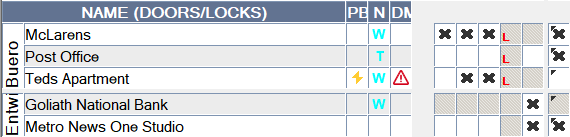
In LSM - WaveNet
You can view some information about the operating status directly from LSM. This includes:
- Battery status (read lock)
- Status of the network connection (matrix)
- Locking device status (DoorMonitoring) (Matrix or Smart.Surveil)
- Battery warning of the locking device with LockNodes via warning monitor (Reports - ), see LockNodes. To use it effectively, a task for testing the battery status must be set up using the Task Manager. This function is only available in LSM Business/Professional.
Use the button  to refresh the view.
Show network and door monitoring status
The network connection status is not displayed by default. Activate the network status display as follows:
- LSM open.
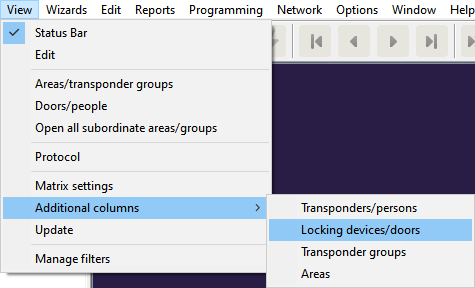
- Via View select the entry and there .
- The window Additional data: Door opens.
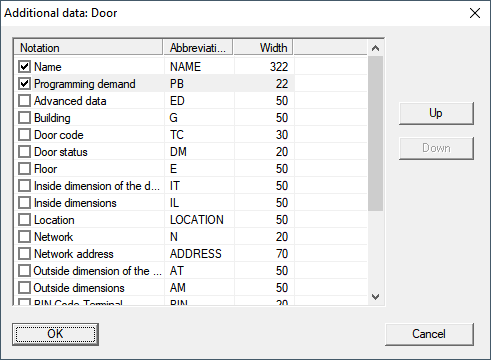
- Activate the checkboxes
 Door status and Network.
 - Click on the OK button.
- The window Additional data: Door closes.
- LSM matrix displays additional columns.