RingCast function test - WaveNet
The RingCast has no self-test function.
WARNING

Impairment or failure of protective functions due to changed conditions
The activation of the protection functions in RingCast is based on wireless connections and Ethernet connections. Wireless connections in particular can be affected by changing environmental conditions (see Radio network und Challenges in wireless networks). This also influences the activation of the protective functions in the RingCast and can jeopardise the safety of persons and property that are additionally protected by the protective functions in the RingCast, for example.
- Test the protective functions at least once a month (see RingCast function test).
- If necessary, also observe other guidelines or regulations that are relevant for your locking system (especially for escape and rescue routes and fire protection. You are solely responsible for ensuring compliance with these guidelines and regulations).
Change in the sequence of emergency functions due to malfunctions
SimonsVoss and "Made in Germany" stand for maximum safety and reliability. In individual cases, however, malfunctions of your devices cannot be ruled out. This may pose a risk to the safety of persons and property, which are additionally protected by the protective functions in the RingCast.
- You should test your devices at least once a month (see Device function test Shorter intervals may also be required according to other regulations concerning your overall system).
- Test the protective functions at least once a month (see RingCast function test).
Switch the corresponding input on the initiator and check:
- whether the locks react as desired (see also RouterNode: Digital input).
- whether the output set on the RouterNode shows the acknowledgement by switching as desired (see also RouterNode: Digital output).
Test with central output router
NOTE

Central output router in RingCast with R/CR router nodes
The central output router receives the input acknowledgement of the participating router nodes exclusively via an Ethernet connection. The central output router therefore ignores the status of router nodes that are not Ethernet router nodes (.ER). If you are using the central output router and your RingCast also contains router nodes without an Ethernet interface, the central output router's input acknowledgement only means that all locking devices assigned to an Ethernet router node have received the command.
- Check the status of other router nodes (R/CR) independently of the central output router manually (see Test reachability (LSM) and RouterNodes or IO Status and LockNode responsiveness).
The use of a central output router (see Central output router) simplifies the test of the RingCast considerably. Switch the corresponding input at the initiator and check whether the central output router sends an input acknowledgement or switches the corresponding output. If the output does not switch, then check which RouterNodes have caused problems:
- WaveNet Manager opened via LSM (see Best Practice: From the LSM software)
- Click with the right mouse button on the RingCast entry you want to test.
- In the drop-down menu select the input whose RingCast you want to test.
- The window Edit radio domains opens.
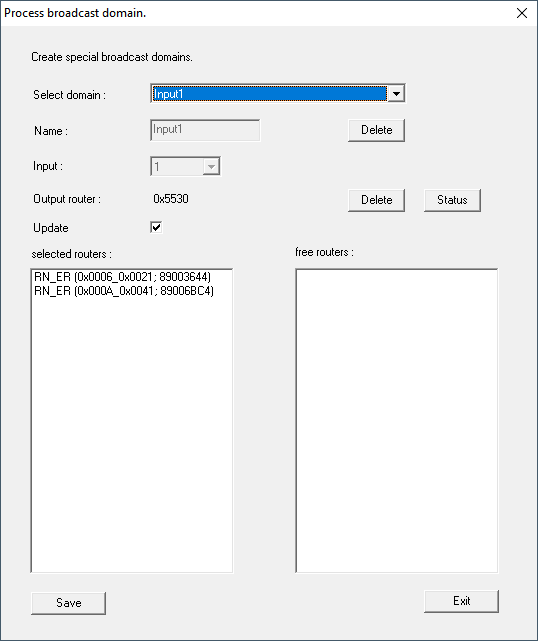
- Click on the button Status.
- RingCast is tested.
|
|
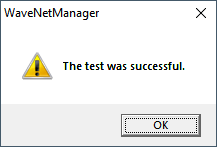
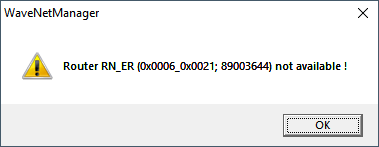
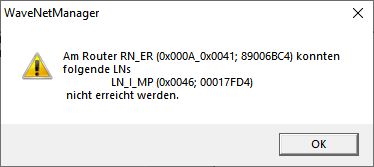
The RingCast was able to address all locking devices. | The RingCast could not be closed. Possible causes (see also Central output router):
|