Monitoring the devices in the network - WaveNet
The devices on your WaveNet can be distributed over large parts of the building. You can monitor the devices partially remotely:
the status of your locking devices
If you use door monitoring locking devices, the current status of your locking device is transmitted to LSM via WaveNet and displayed there (DM column). As an alternative to the display in LSM, you can also monitor the status of your locking devices using Smart.Surveil.
For additional information, see the LSM manual and the Smart.Surveil manual.
Network connections of your WaveNet
The current status of the connections between the LSM and your WaveNet devices is displayed in the LSM (column N).
- No entry: Network connection not created.
- W (turquoise): Last connection attempt successful.
- W (yellow): Last connection attempt up to LockNode successful, but not up to locking device (door open?).
- W (red): Last connection attempt failed.
Additional information can be found in the chapters WaveNet and LSM and Assigning LockNodes to the locking devices as well as Fault rectification.
Battery status
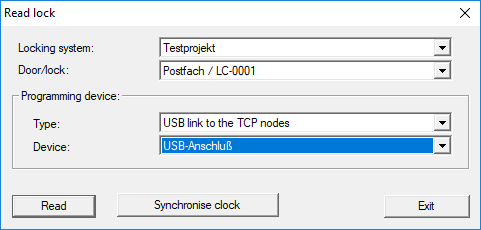
You can also use LSM to read the battery status of the marked lock via your WaveNet (Programming - - Read).
You can find additional information in the LSM manual.