Synchronisation: Comparison between locking plan and reality - AXM Plus
Since the G2 protocol was introduced, it is up to you whether you synchronise the locking device or the identification medium for a new authorisation, for example.
Synchronising a locking device | Synchronising an identification medium |
|---|---|
Synchronising the locking device (including reading access list) | Synchronise a card/transponder (including importing physical access list) |
Useful if many identification media have been authorised for a locking device. In this case, only one locking device needs to be synchronised instead of many identification media.
| Useful if an identification medium has been authorised for many locking devices. In this case, only one identification medium needs to be synchronised instead of many locking devices.
|
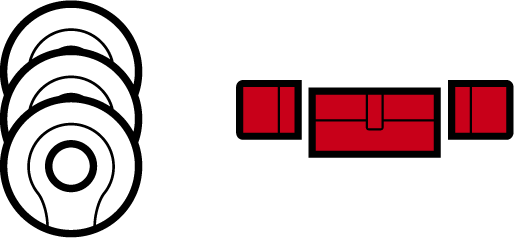
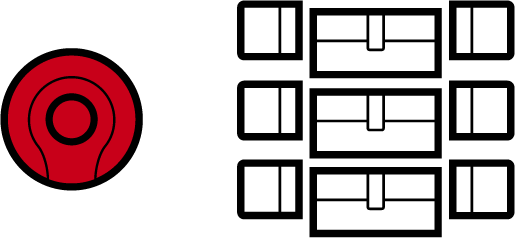
Other factors are important to consider when making this decision, such as:
- Available programming devices
- Locking device or identification medium on site
- Access list or physical access list imported
Synchronisation from the matrix
You can display the synchronisation requirement in the matrix. If you click directly on the  icon, you immediately start synchronising the entry concerned.
Initial or regular synchronisation
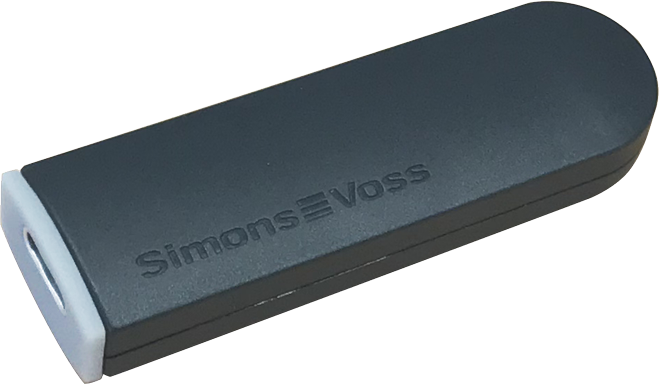
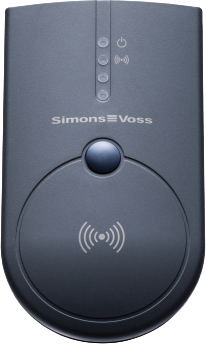
An initial synchronisation (symbol:  ) differs from other synchronisations (symbol: ) due to the larger amount of data. In the case of AX locking devices, it is therefore preferable to use a SmartStick AX or a SmartCD.MP, especially for initial synchronisations.
SmartStick AX | SmartCD.MP |
|---|---|
|
|
Further information
- Synchronising the locking device (including reading access list)
- Identifying an unknown locking device
- Re-setting the locking device
- Synchronising an identification medium
- Identifying an unknown ID medium
- Resetting identification media
- Viewing connected/supported programming devices
- Checking the connection between database and cloud