Replace RouterNode or change IP address - AXM Plus
If a RouterNode cannot be repaired (see Repair RouterNode or LockNode), you can replace a RouterNode with a new one. Possible reasons for replacement:
- Replacement with newer model
- Substitute
- Theft
- Defects
Alternatively, you may also use the function if the IP address of the RouterNode has changed but the same RouterNode continues to be utilised.
NOTE

Replace not available for Lock Nodes
Lock Nodes cannot be replaced in the AXM Plus.
- Remove affected Lock Nodes (see Reset (remove) RouterNode or LockNode).
- Subsequently, add the new LockNode (see Add Lock Nodes).
- The substitute RouterNode is ready for operation and connected to the same network.
- Tab opens.
- Mark the RouterNode you wish to delete.

- Click on the
 button.
 - The window will open.
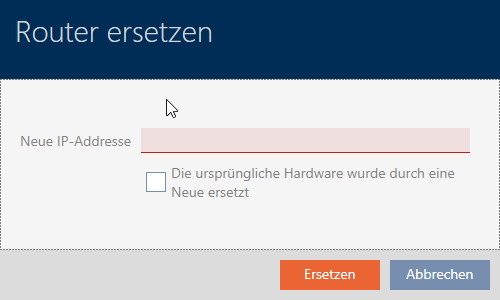
- Enter the IP address of the substitute RouterNode in the field .
- If you replace the RouterNode with a new RouterNode, then activate the checkbox
 The original hardware was replaced with the new one.
If the same RouterNode is reused and only the IP address has changed, then deactivate the checkbox The original hardware was replaced with the new one.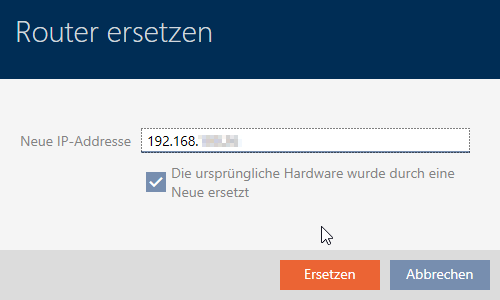
- Click the button.
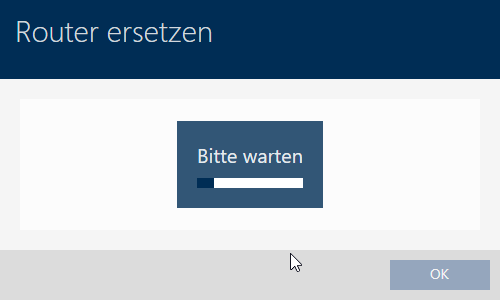
- RouterNode is replaced.
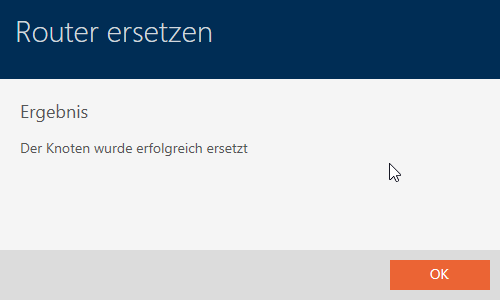
- The substitute RouterNode is listed instead of the original RouterNode.
