Synchronising AX2Go key - AXM Plus
After AX2Go is set up for the first time, changes are transmitted conveniently via the SimonsVoss Cloud (see Synchronisation of AX2Go keys via the cloud for more information).
The following example describes the synchronisation process when an AX2Go key is authorised for a locking device for the first time.
In the initial situation, no AX2Go key has been authorised on the locking device yet:
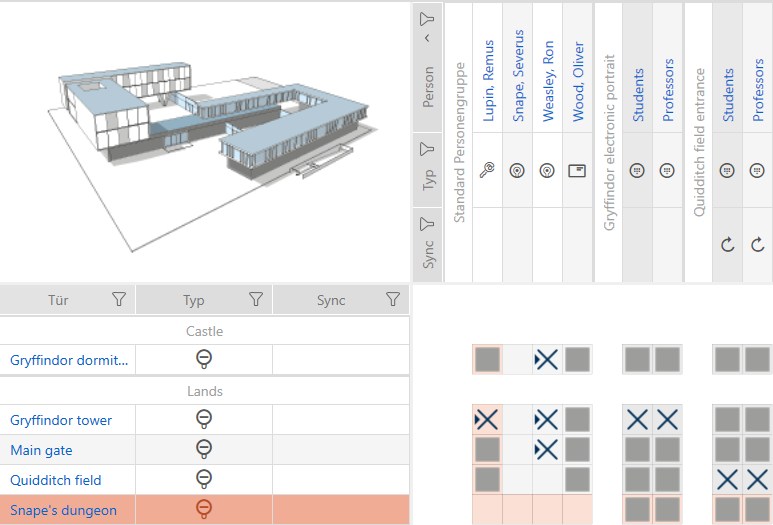
- Valid
 Software Fee licence (see Registration with licence).
 - Connection between SimonsVoss ID and AXM Plus (see Registration with licence).
- Matrix screen open.
- Authorise the AX2Go key for all required locking devices.
- Programming requirements for locking device and AX2Go arise.
- AX2Go key is automatically synchronised via the cloud.
- Programming requirement disappears.
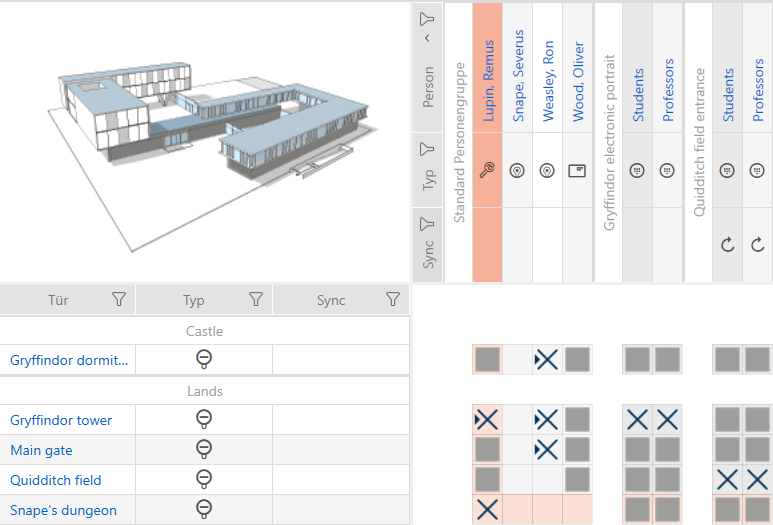
- AX2Go key is authorised for locking device.
If the authorisation change is not transferred, restart the AXM service and then reconnect your AXM Plus to your SimonsVoss ID (see Checking the connection between database and cloud).