Broadcast error - SmartRelay 3 system
Unavailable service
A frequent cause of transmission errors in programming is an unavailable or ended service. Check whether the service is running.
- If you use a virtual network, the VN host server must be operation.
- If you use the SmartRelay in a network and evaluate inputs, the CommNode server must be in operation.
If you are not sure, check both services:
- Controller has already been programmed.
- Components wired correctly (see wiring).
- Components connected to power.
- Press the Windows key.
- Enter services.
- Right-click on the displayed entry to open the context menu.
- Select the item.
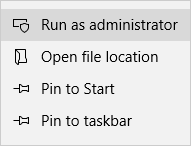
- Enter your user name and your password if necessary.
- The Windows Services window will open.
- Look for the following services: SimonsVoss CommNode Server and/or SimonsVoss VNHost Server.
- Export the status of the services.
- If the services are not implemented, right-click to open the services' context menu.
- Select the item.
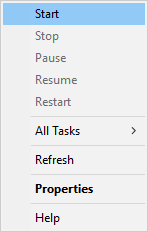
- Service is launched.
- Execute programming (see Programming).
- Controller is programmed.
IP configuration error
Another possible cause of transmission errors during programming is an error in the IP configuration in the SmartRelay (takes a very long time trying to read before displaying error message).
In such a case, please issue a new IP address in LSM and execute programming with a USB cable.
- LSM launched.
- Controller connected to computer with USB cable.
- Components wired correctly (see wiring).
- Components connected to power.
- Double-click on the SmartRelay 3 entry in the matrix to open the settings.
- Change to the IP settings tab.
- Enter a different free IP address (see Establishing IP settings on how to detect a free IP address).
- Click on the Apply button.
- Click on the Exit button.
- Execute programming with a USB cable (see Programming).
- Programming successful window is displayed.
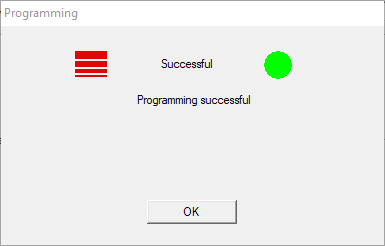
- IP configuration error has been eliminated.