Programming - SmartRelay 3 system
Programming does not differ from programming for other locking devices. The SREL3 ADV system can be programmed using either a USB cable or a network connection (except initial programming).
USB programming
- Controller connected to computer with USB cable.
- Components connected to power.
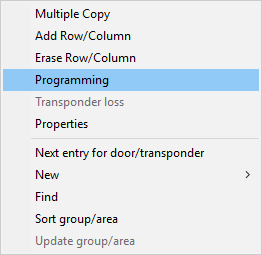
- Right-click on the SmartRelay 3 entry in the matrix to open the context menu.
- Select the item.
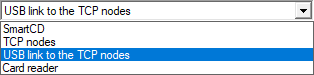
- Open the drop-down menu.
- Select the USB link to the TCP nodes item.
- Click on the Programming button.
- Programming launches.
Network programming
- Controller has already been programmed.
- Controller connected to computer via network.
- Components connected to power.
- Right-click on the SmartRelay 3 entry in the matrix to open the context menu.
- Select the item.
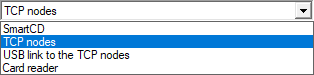
- Open the drop-down menu.
- Select the TCP nodes item.
- Click on the Programming button.
- Programming launches.