Adding SmartOutput modules - SmartRelay 3 system
The SREL3 ADV system controller searches for SmartOutput modules after a power supply has been connected. The controller detects connected SmartOutput modules when they are supplied electricity.
Programming requires that the number of SmartOutput modules detected match the number indicated in LSM. You can add SmartOutput modules as follows.
- Components wired correctly (see wiring).
- Components connected to power.
- Controller reset (see Resetting the controller).
- Double-click on the SmartRelay 3 entry in the matrix to open the settings.
- Change to the Configuration/Data tab.
- Click on the Extended configuration button.
- Extended configuration window will open.
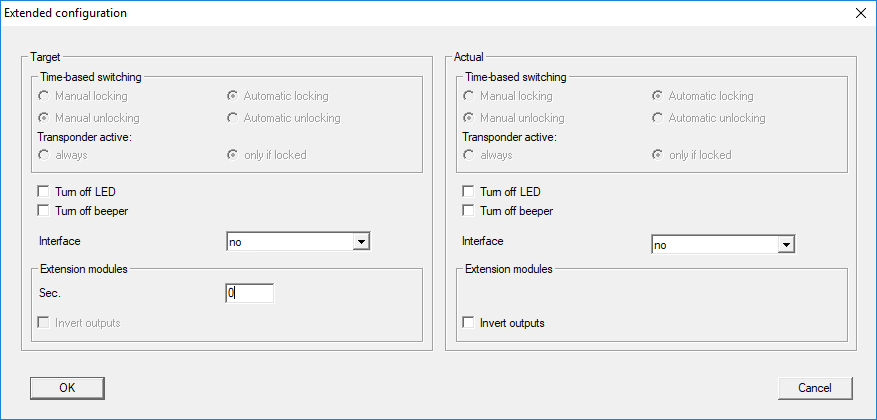
- Enter the number of connected SmartOutput modules in the Extension modules area.
- Click on the OK button.
- Window closes.
- Click on the Apply button.
- Click on the Exit button.
- LSM returns to the matrix.
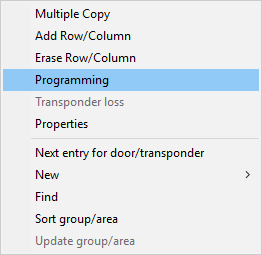
- Right-click on the SmartRelay 3 entry in the matrix to open the context menu.
- Select the item.
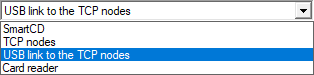
- Open the drop-down menu.
- Select the USB link to the TCP nodes item.
- Click on the Programming button.
- Programming launches.