Reading the battery level with USB cable - SmartRelay 3 system
- Components connected to power.
- Controller connected to computer with USB cable.
- Battery to be checked inserted.
- Mark the entry on the SmartRelay 3 controller in the matrix.
- Use Programming to select the item.
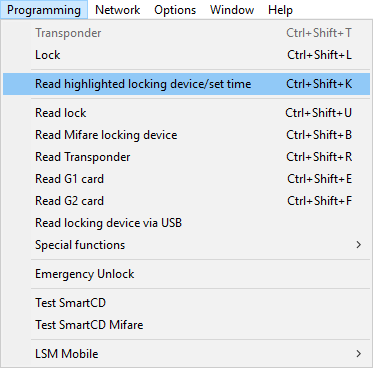
- The Read lock window will open.
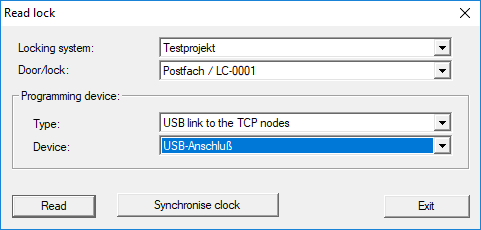
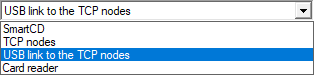
- Open the drop-down menu.
- Select the USB link to the TCP nodes item.
- Click on the Read button.
- Locking device is read.
- Battery level is displayed in the State section.
- Battery level is displayed in the State during last read-out section in the State tab in properties.