Software reset - SmartRelay 3 system
You can initiate a software reset in LSM. If the controller has been reset by a different LSM, LSM is no longer able to activate the reset controller. LSM still contains information on the controller which is no longer up to date. The software reset clears all the controller information saved in LSM in the software. This means that LSM and the controller are synchronised once more (both reset) and LSM can address the controller again.
- Double-click on the SmartRelay 3 entry in the matrix to open the settings.
- Change to the Configuration/Data tab.
- Click on the Software reset button.
- The LockSysMgr window will open.
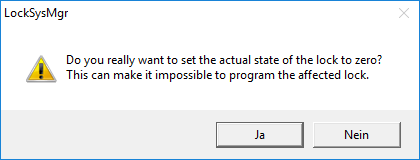
- Click on the OK button.
- Click on the Yes button.
- Software reset has been completed.