Operation as interface - SmartRelay 3 system
The SREL3 ADV system can be used to actuate a third-party system with identification media. You can select the specified interfaces for this purpose (see Controller). See Using the serial interface on wiring. You can receive detailed specifications on the interfaces offered from Support (see Help and contact). If data need to be transferred via the serial interface, then the serial interface needs to be enabled and the corresponding protocol configured:
- Controller has already been programmed.
- Components wired correctly (see wiring).
- Components connected to power.
- Double-click on the SmartRelay 3 entry in the matrix to open the settings.
- Change to the Configuration/Data tab.
- Click on the Extended configuration button.
- The Extended configuration window will open.
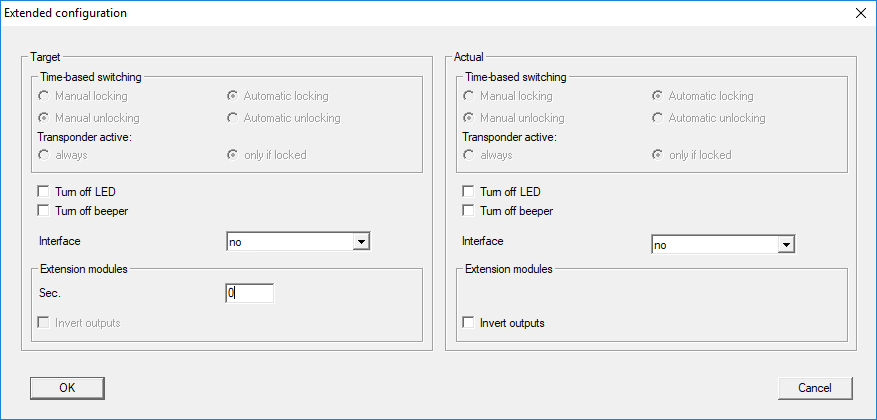
- Open the drop-down menu.
- Select the entry which corresponds to your third-party system.
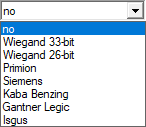
- Click on the OK button.
- Window closes.
- Click on the Apply button.
- Click on the Exit button.
- Execute programming (see Programming).
- Data are emitted via the serial interface.