Resetting controller with a USB cable - SmartRelay 3 system
The controller can be reset with a USB cable. This option is ideal if the controller has not yet been installed and can simply be reached physically.
- Components wired correctly (see wiring).
- Components connected to power.
- Controller connected to computer with USB cable.
- Mark the entry on the SmartRelay 3 controller in the matrix.
- Use Programming to select the item.
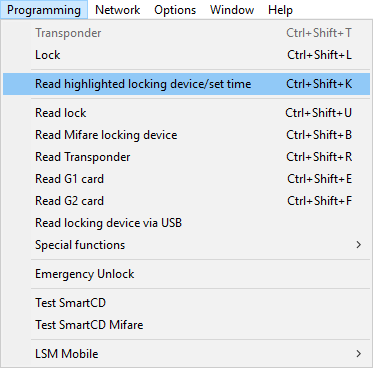
- The Read lock window will open.
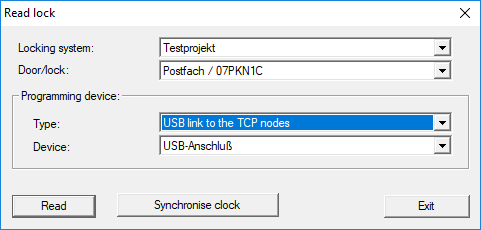
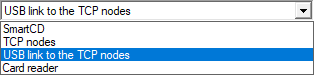
- Open the drop-down menu.
- Select the USB link to the TCP nodes item.
- Click on the Read button.
- Locking device is read.
- The G2 Smart Relay 3 window will open.
- Click on the Reset button.
- The Reset lock window will open.
- Enter the locking system password or apply it from the database.
- Click on the Reset button.
- Locking device is reset.
- Locking device reset.