Signal settings - SmartRelay 3 system
In some cases, an optical or audible feedback signal may not be wanted. You can also change signal settings as you wish.
- LSM 3.4 or higher installed.
- Controller has already been programmed.
- Components wired correctly (see wiring).
- Components connected to power.
- Double-click on the SmartRelay 3 entry in the matrix to open the settings.
- Change to the Configuration/Data tab.
- Click on the Extended configuration button.
- The Extended configuration window will open.
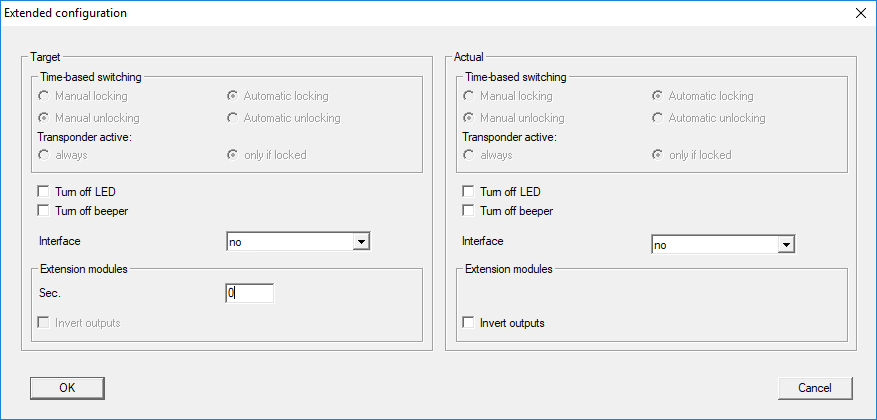
- Enable or disable the
 Turn off LED checkbox.
 - Enable or disable the Turn off beeper checkbox.
- Click on the OK button.
- Window closes.
- Click on the Apply button.
- Click on the Exit button.
- Execute programming (see Programming).
- Signalling has been adjusted.